Monitoring validation
Validata provides multiple mechanisms to monitor an active validation run, track progress in real time, and stay informed about important lifecycle events. Together, these capabilities help you understand what is happening during execution, identify issues early, and ensure timely responses to failures or out-of-sync conditions. Monitoring surfaces include the live validation report, on-screen system notifications, the message log, and alerts.
Live validation report
When a validation is in progress, Validata displays a live validation report that updates continuously as each validation pair is processed. This view provides early insight into how the run is progressing and refreshes automatically until completion.
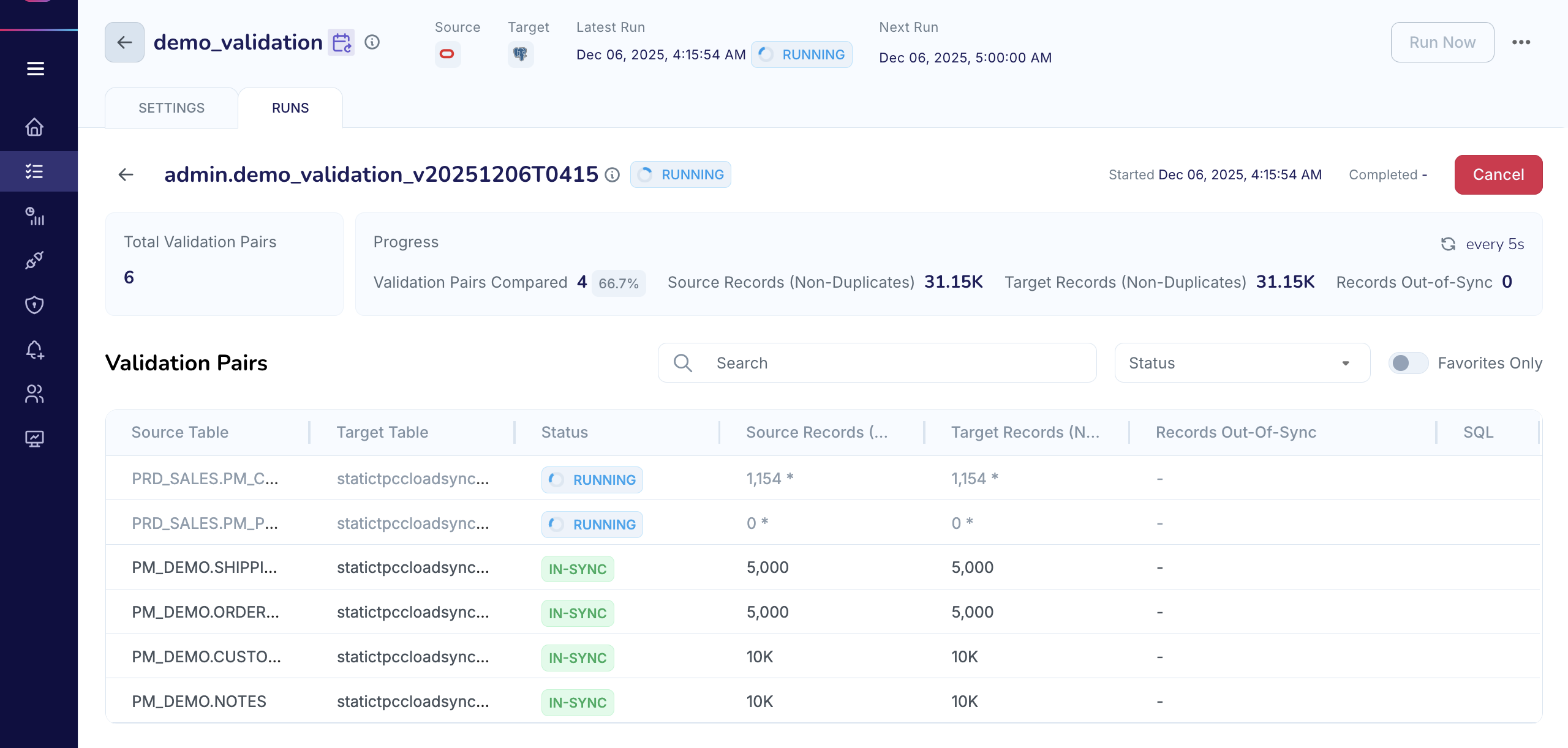
The live validation report shows:
Number of validation pairs processed so far.
Current counts of in-sync and out-of-sync records.
Preliminary mismatch indicators and trends.
Real-time execution status.
These values represent in-flight processing. In some cases, provisional mismatches may be resolved by the end of the run after the revalidation process completes. When the run finishes, Validata finalizes all metrics and updates the run status accordingly.
You can access the live report from both:
The validation home page.
The Validata home page (Validata's landing page).
On-screen notifications and message log
Throughout a validation run, Validata generates informative system messages. These include lifecycle events, warnings, and alert-driven notifications. Messages appear in dedicated areas of the application to ensure visibility during and after execution.
Validata provides three primary surfaces for real-time and historical messages:
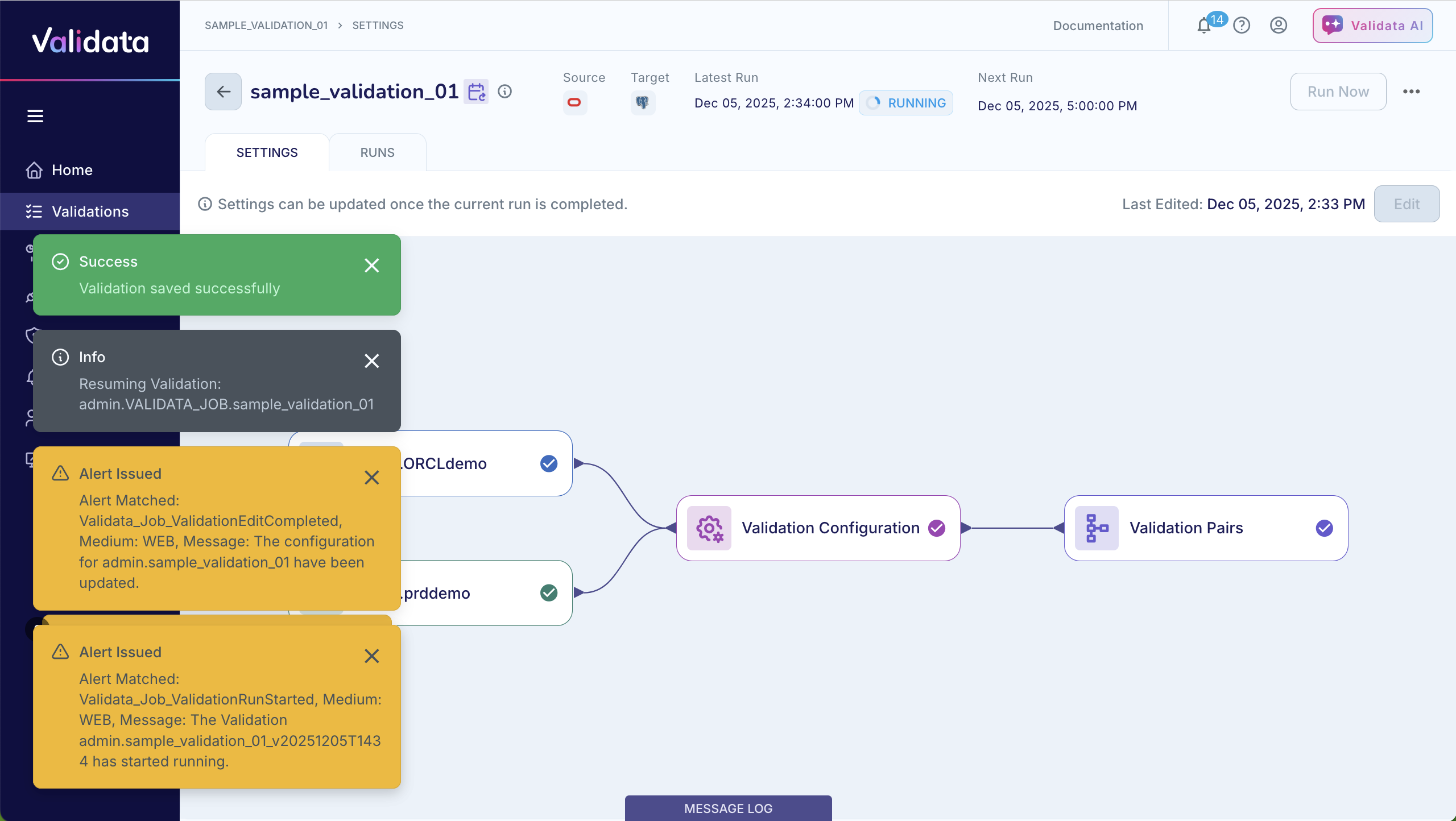
Toast notifications (temporary pop-ups)
Toast notifications appear as pop-ups at the bottom-left of the screen to highlight important events as they happen.
Examples include:
"Validation run started"
"Validation completed with status Out-of-Sync"
Alert-triggering events or errors encountered during execution.
These messages are transient but provide immediate awareness during active sessions.
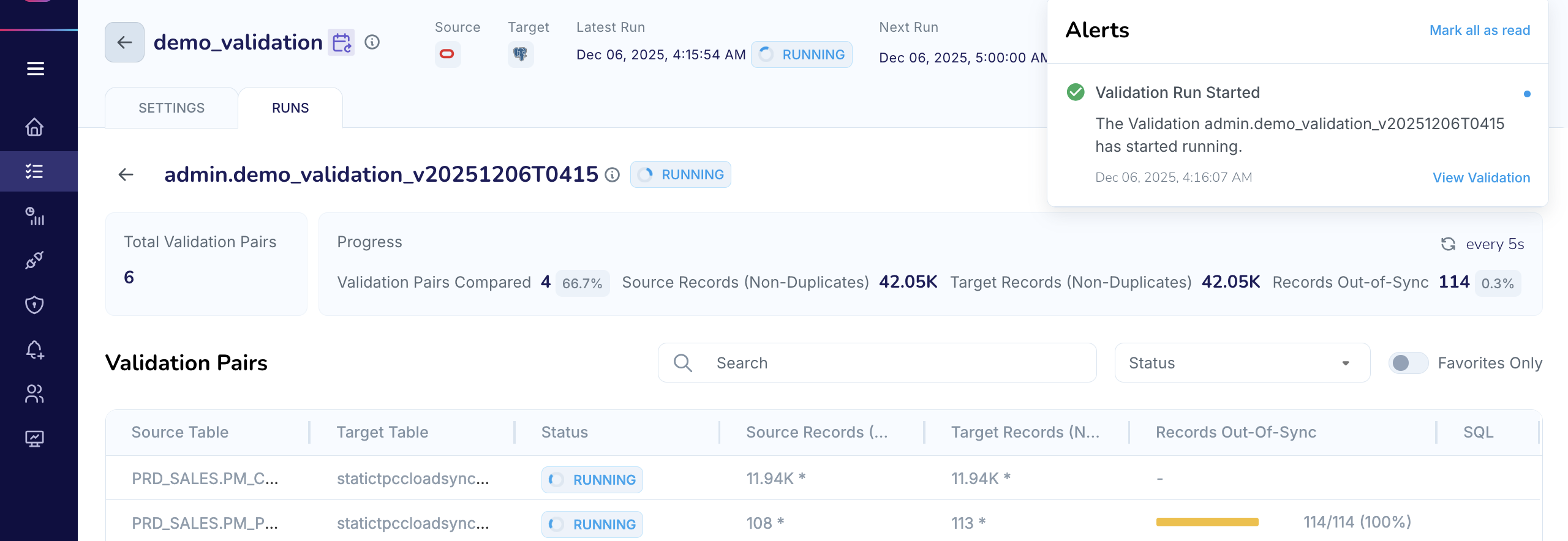
Alerts bell (top-right notification center)
The notification bell in the top-right corner shows the unread system and alert messages. These notifications persist until marked as read and typically represent conditions requiring attention, such as:
Failed or halted validation runs.
Runs completing with out-of-sync status.
Alerts triggered by mismatch thresholds.
Selecting an item from the alerts panel navigates you directly to the related validation or message detail.
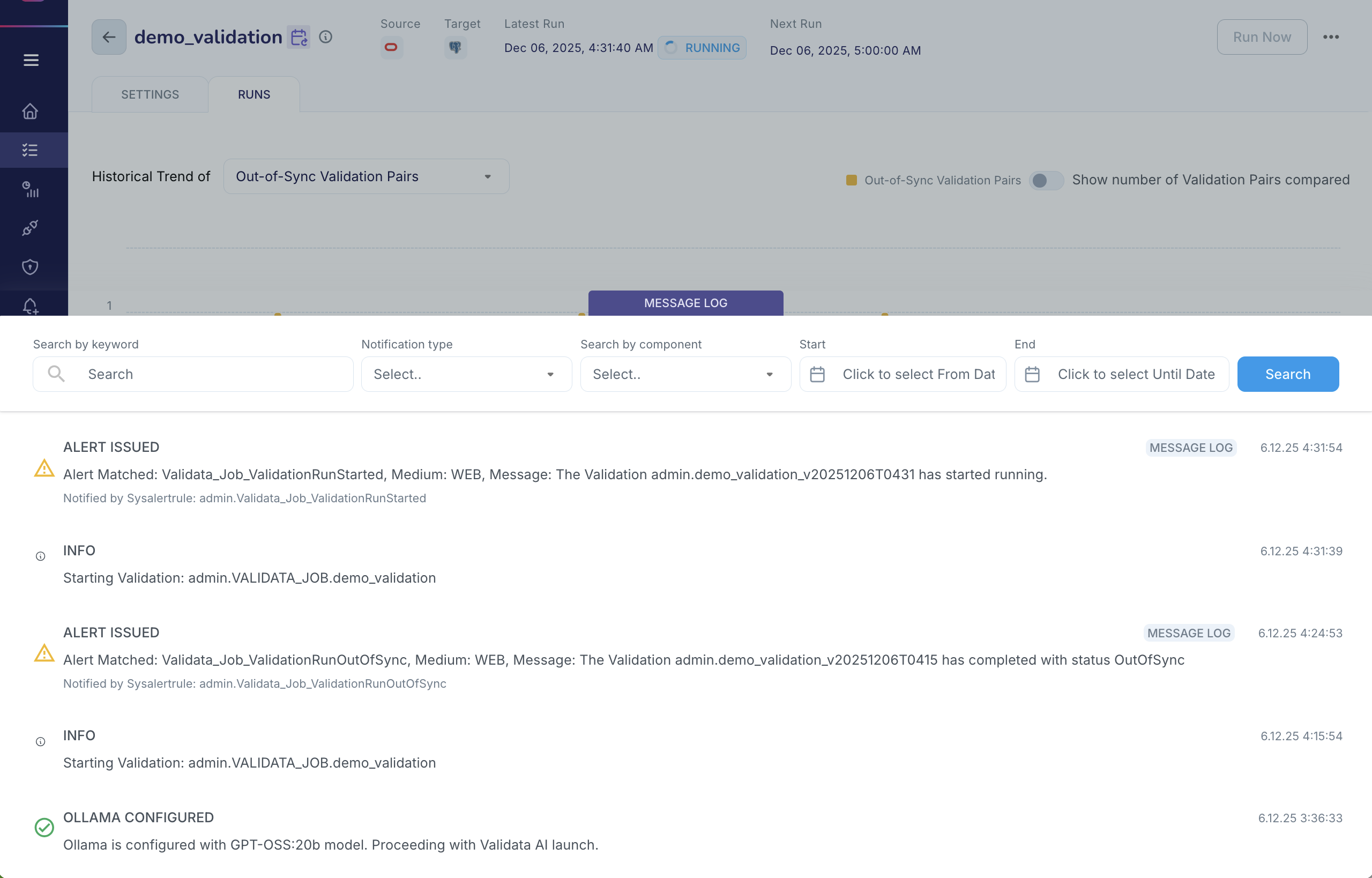
Message log (full historical record)
The message log provides a comprehensive history of all messages generated by Validata across all validations accessible to the user. It includes:
Alert messages.
Validation lifecycle events.
System and application-level notifications.
Warnings and informational updates.
The message log is available from the bottom edge of the Validata UI and offers several filtering options to help you locate relevant messages:
Search by keyword (validation name, table name, error text, etc.).
Filter by notification type (alert, info, warning).
Filter by component (for example, the validation engine).
Start/End time filters to narrow the time range.
These filters support troubleshooting, historical review, and correlation of events across multiple validations.
Alerts
Alerts in Validata are event-driven notifications sent outside the application UI to ensure that users remain aware of key validation events even when not logged into the system. Alerts support operational continuity and rapid response to inconsistencies or failures.
You can generate alerts for events such as:
A validation run starting.
A run completing with
Out-of-Syncstatus.A run failing or halting.
A mismatch threshold being exceeded.
Other conditions defined in your alert configuration.
Validata delivers alerts through the following channels:
Email
Slack
Microsoft Teams
These external notifications are designed for operational and escalation workflows, ensuring that issues are recognized and acted on promptly.
For configuration instructions, see Configuring Alerts in Deploy and manage Validata.