Build your first application
This topic walks you through creating your first pipeline in Striim for ClickHouse. You use Striim Clara, Striim's conversational AI assistant, to go from a plain-language description of a pipeline to a running Initial Load application from Oracle to ClickHouse. Rather than navigating adapter menus and hand-crafting schema mappings, you describe your intent to Clara, review what it proposes, and approve it before the pipeline is deployed.
Before building your first application, sign up for and launch a Striim for ClickHouse service as described in Introducing Striim for ClickHouse. After your service is running, proceed to the walkthrough.
Prerequisites
A Striim for ClickHouse service. Sign up at striim.com (credit card billing) or through the AWS Marketplace listing and start your two-week free trial (see Subscribe and sign up). Choose the Standard (4 vCPU) or Premium (8 vCPU) tier based on the sources you need, and launch the service in US East (N. Virginia)
us-east-1, US East (Ohio)us-east-2, or US West (Oregon)us-west-2(see Create a Striim for ClickHouse service).Source access credentials. This typically means a database user with the privileges required to read the source tables, plus network access from Striim on AWS to your source.
A running ClickHouse instance, either self-managed or ClickHouse Cloud, with connection details and credentials for a user with write access to the target tables.
Network path confirmation. If your source or ClickHouse instance sits behind a firewall or in a VPC, confirm that you can allow inbound connections from Striim on AWS, or plan to use AWS PrivateLink. See Security and networking for Striim.
Walkthrough
The following steps use Striim Clara to build an Initial Load pipeline from Oracle to ClickHouse. Clara gathers the application details in conversation, opens the native configuration forms where visual selection is easier, and generates a TQL plan that you review and approve before anything is deployed.
Describe your pipeline to Clara. From the Home page, enter your intent in the Explore Striim using Clara box. For example:
"I want to build an Initial Load pipeline from Oracle to ClickHouse to power real-time analytics and AI-powered data applications."
If you don't see the Explore Striim using Clara box on your home page, click Ask Clara in the top right corner of the browser window.
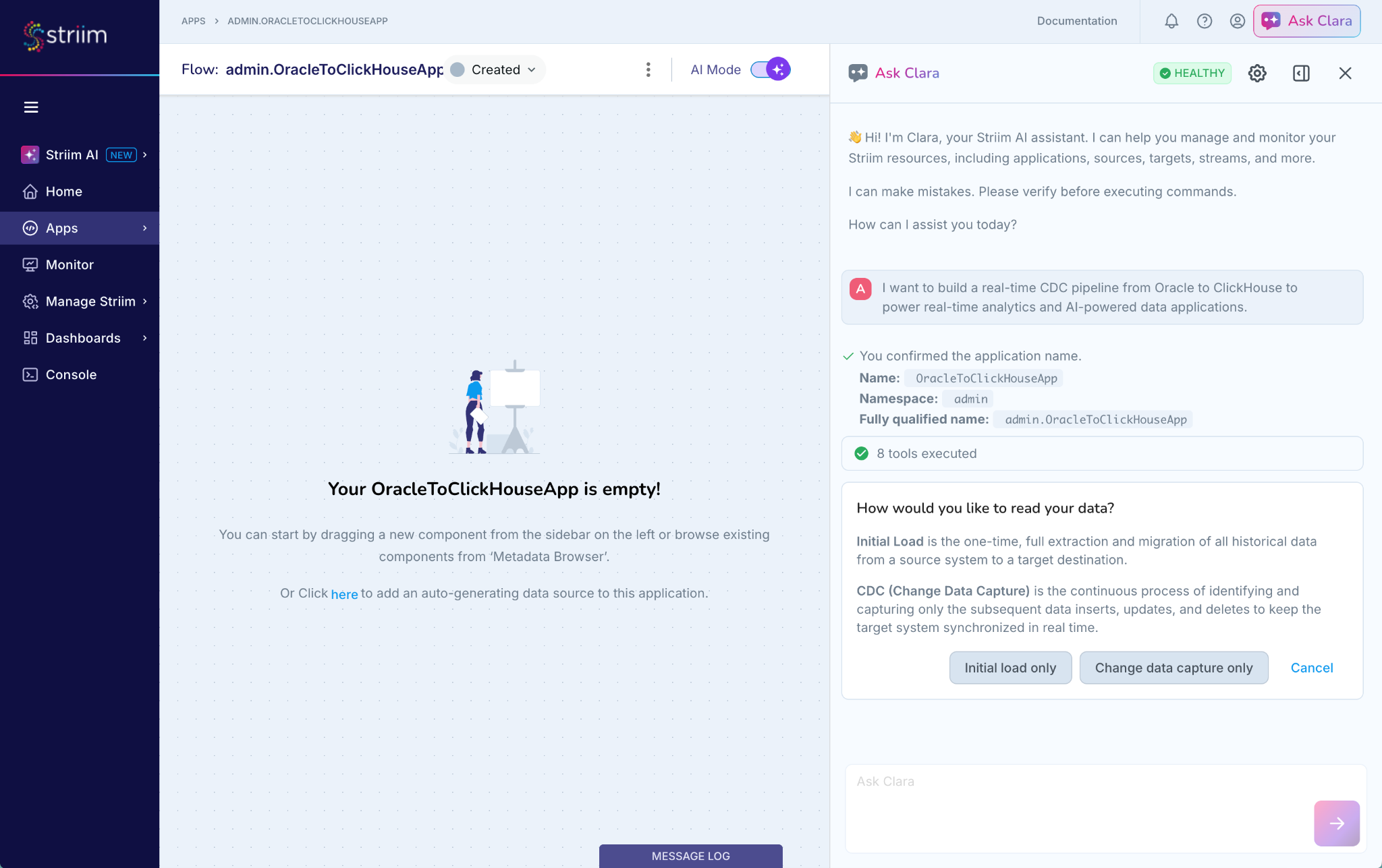
Confirm the name and choose a read strategy. Clara confirms the application name and namespace, then asks how you want to read your data.
Initial Load: a one-time, full extraction and migration of all historical data from the source to the target.
Change Data Capture: the continuous process of identifying and capturing subsequent inserts, updates, and deletes to keep the target synchronized in real time.
For this walkthrough, select Initial load only.
Configure the source. Clara opens the Configure Oracle Source form directly in the UI. Enter the connection details, then select the specific tables you want to load (for example,
EMPLOYEES,DEPT_EMP, andDEPT_MANAGER) rather than capturing entire schemas.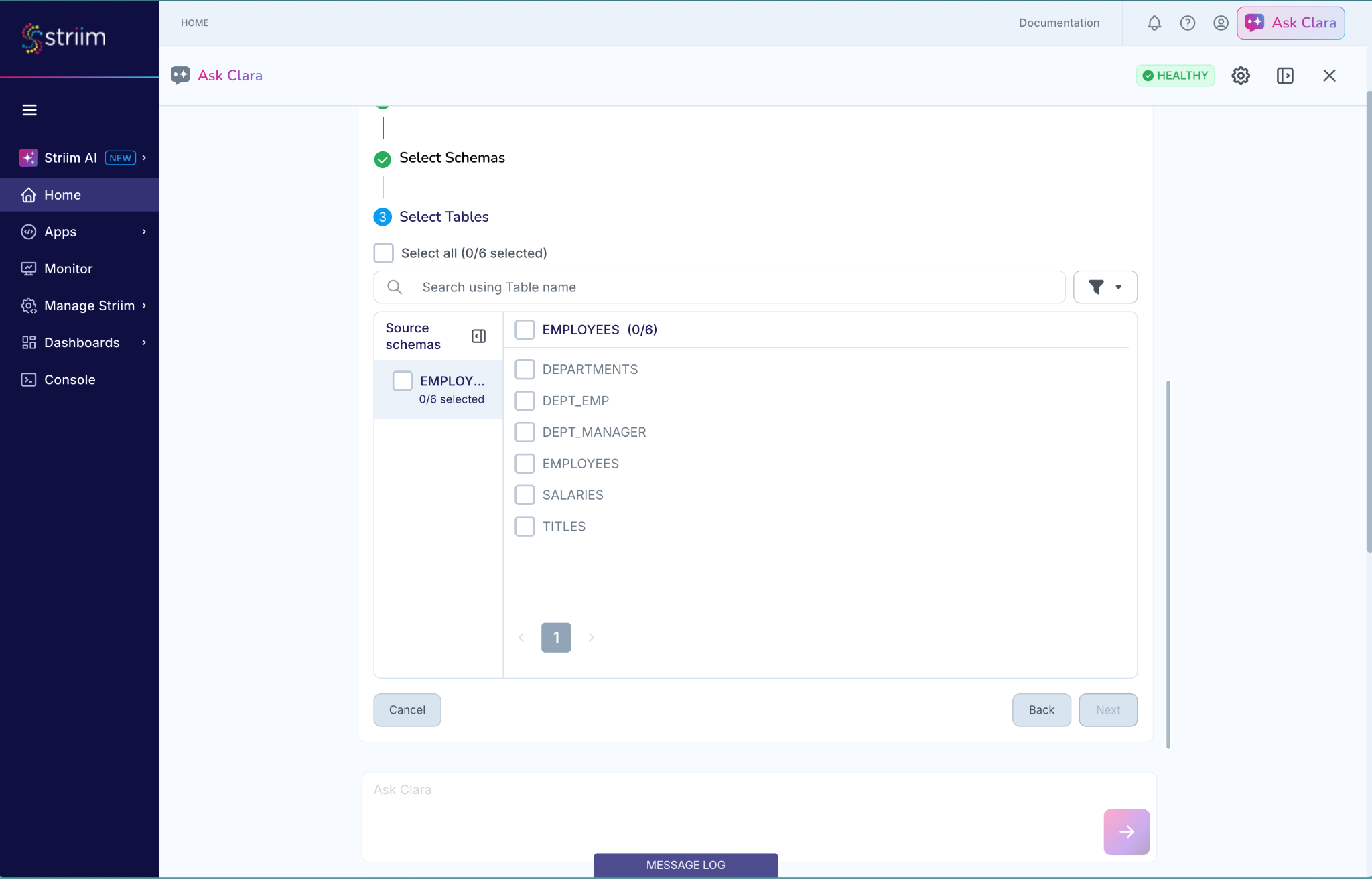
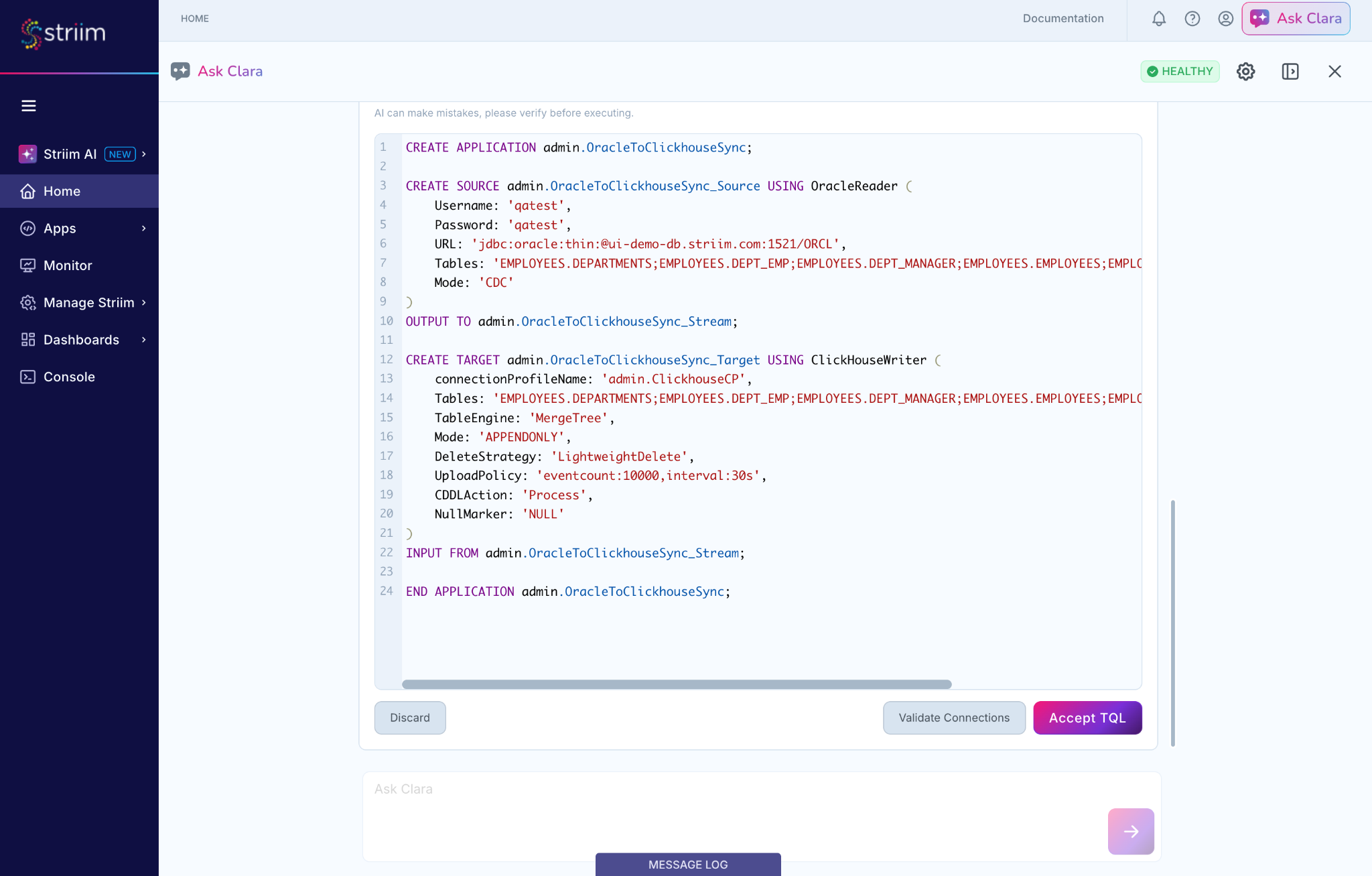
Review the generated TQL plan. Clara compiles your selections into a complete TQL plan, including the source reader, target writer, and stream definitions. Inspect the pipeline configuration, connection properties, and target credentials directly in the workspace.
No schema changes are deployed, and no code is run, until you review the plan and click Accept TQL.
Deploy and start the application. After you accept the TQL plan, Clara connects the source and target components on the Flow Designer canvas and displays an application summary. Click Deploy and Start this App to start the pipeline.
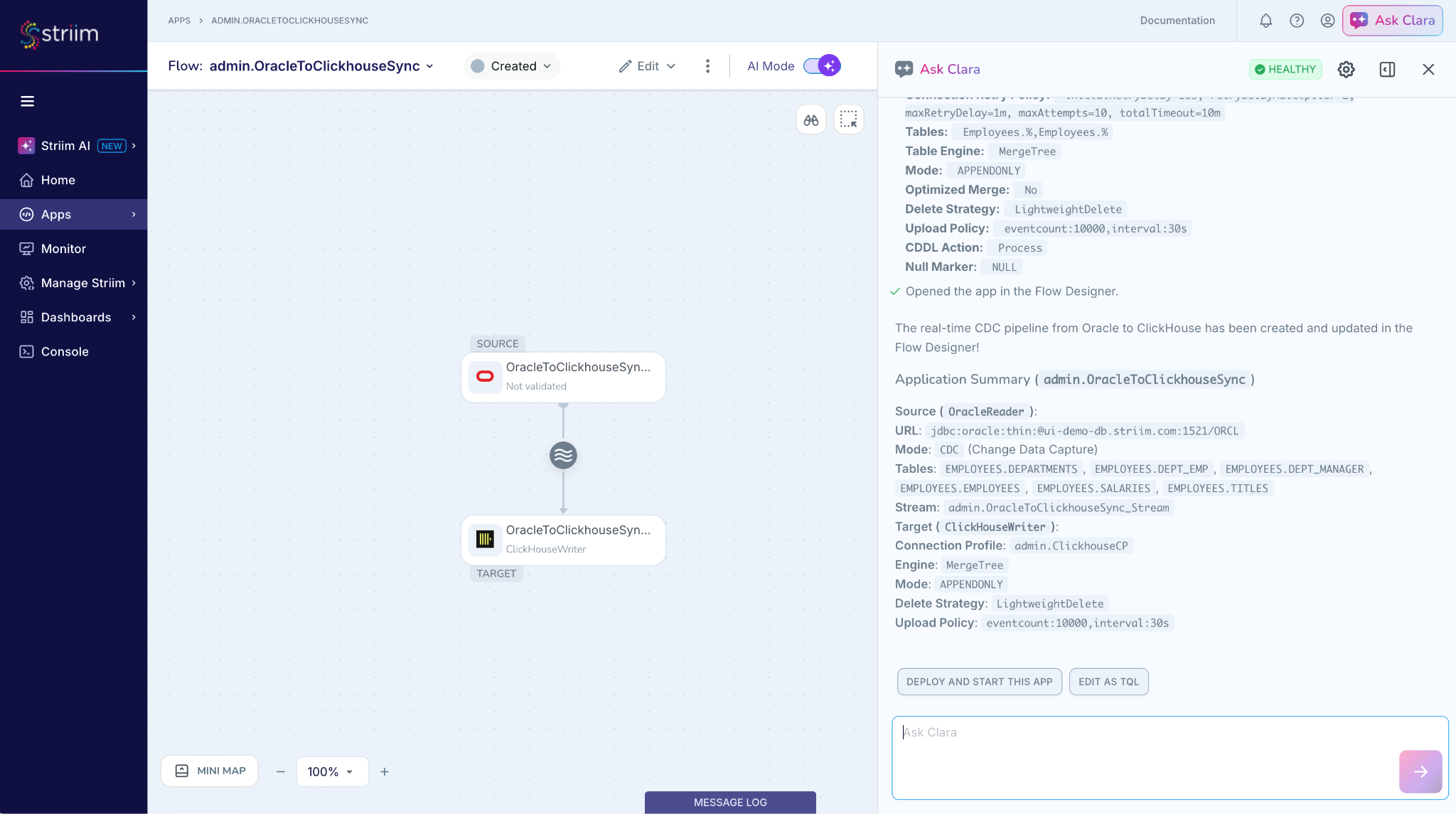
Confirm that data is flowing. Once the application is running, use the built-in monitoring to confirm that data is arriving in ClickHouse as expected, and track throughput to catch connectivity or mapping issues early. You can also ask Clara directly, as described in Monitor and troubleshoot with Clara.
Monitor and troubleshoot with Striim Clara
Beyond building the pipeline, Clara can act as an operator for your service, answering documentation questions and helping you diagnose issues without digging through raw stack traces. The following examples show the two most common requests after a first deployment.
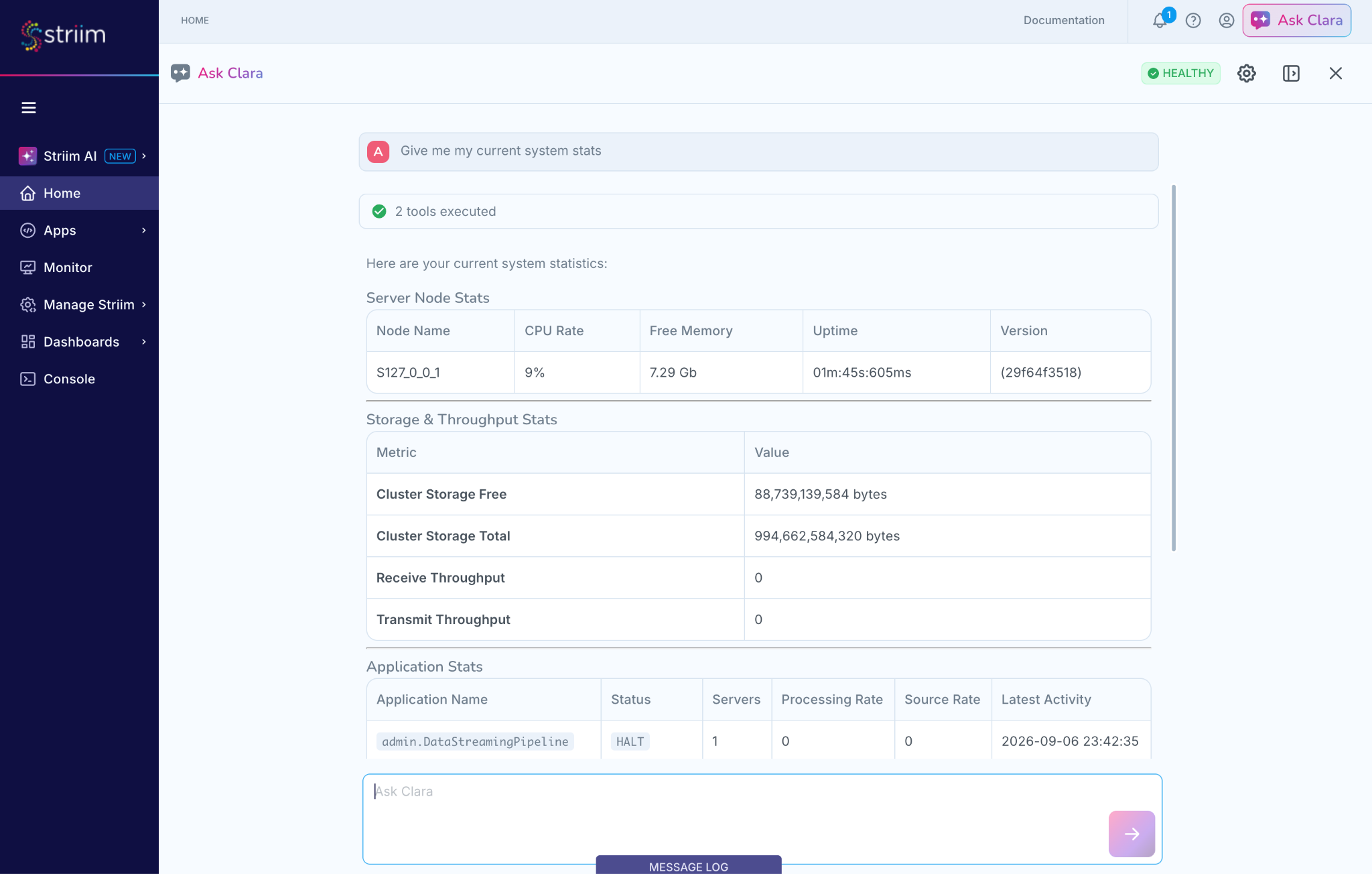
Check cluster and application stats. Ask Clara a direct question, such as "Give me my current system stats" or "What's the current lag on my OracleIngestion app?" Clara returns structured tables covering CPU rate, free memory, storage, and per-application processing rate, source rate, and status.
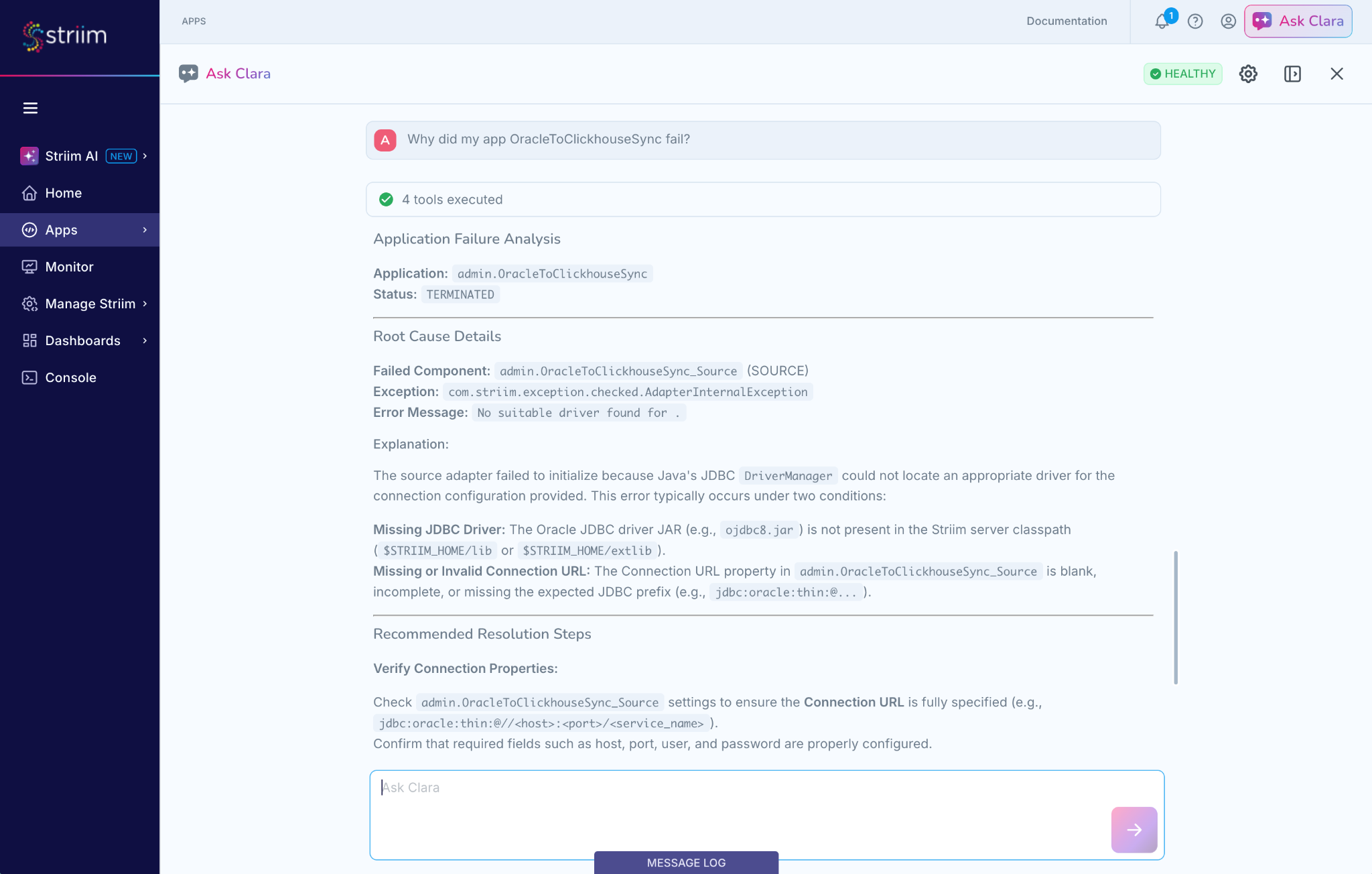
Diagnose a failed application. If a pipeline halts with a startup exception, ask Clara to explain it, for example "Why did OracleToClickhouseSync fail? Walk me through the error and how to fix it." Clara parses the underlying exception, identifies the root cause (for example, a missing JDBC driver or an incomplete connection URL), and lists recommended resolution steps sourced from the documentation.
Important
Striim Clara is an evolving AI assistant and may generate incorrect or incomplete responses. Always review generated TQL plans, diagnostic findings, and configuration recommendations before deploying changes to a production environment.
Next steps
For more examples of pipelines you can build, check the Pipelines section of the documentation.