Connecting to Source & Target using Connection Profiles
Connection Profiles are reusable configuration objects that enable you to connect to your Source and Target data systems. A connection profile securely stores the authentication and connection attributes required to access an external data system from within Validata. You can learn more about Connection Profiles here.
When creating a Validation Configuration, you can either select an existing Connection Profile or define a new one during the process. You can also create a Connection Profile from the left navigation panel.
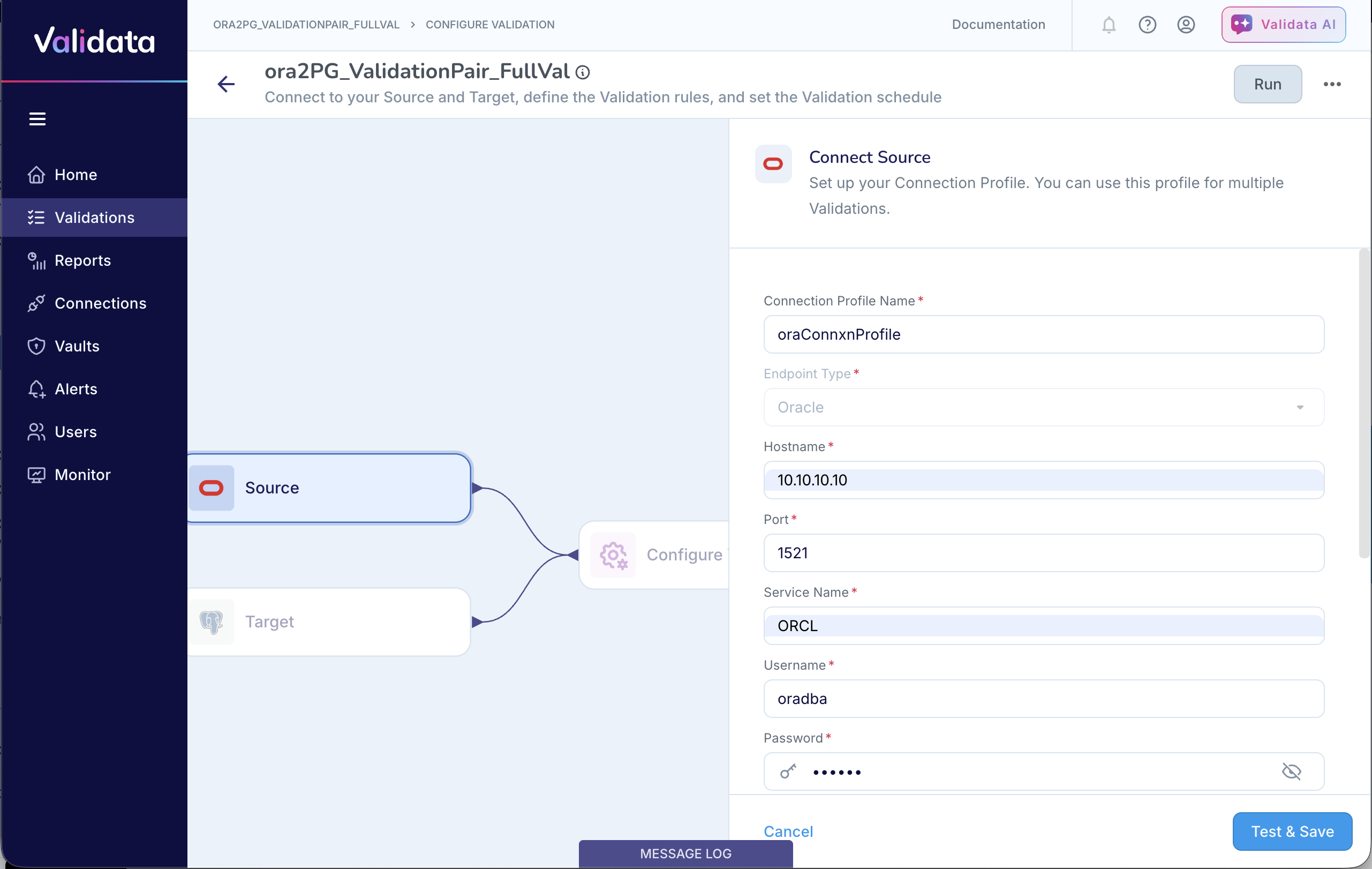
Connecting to the Source
Choose an existing Connection Profile or create a new one.
Test connectivity to confirm access.
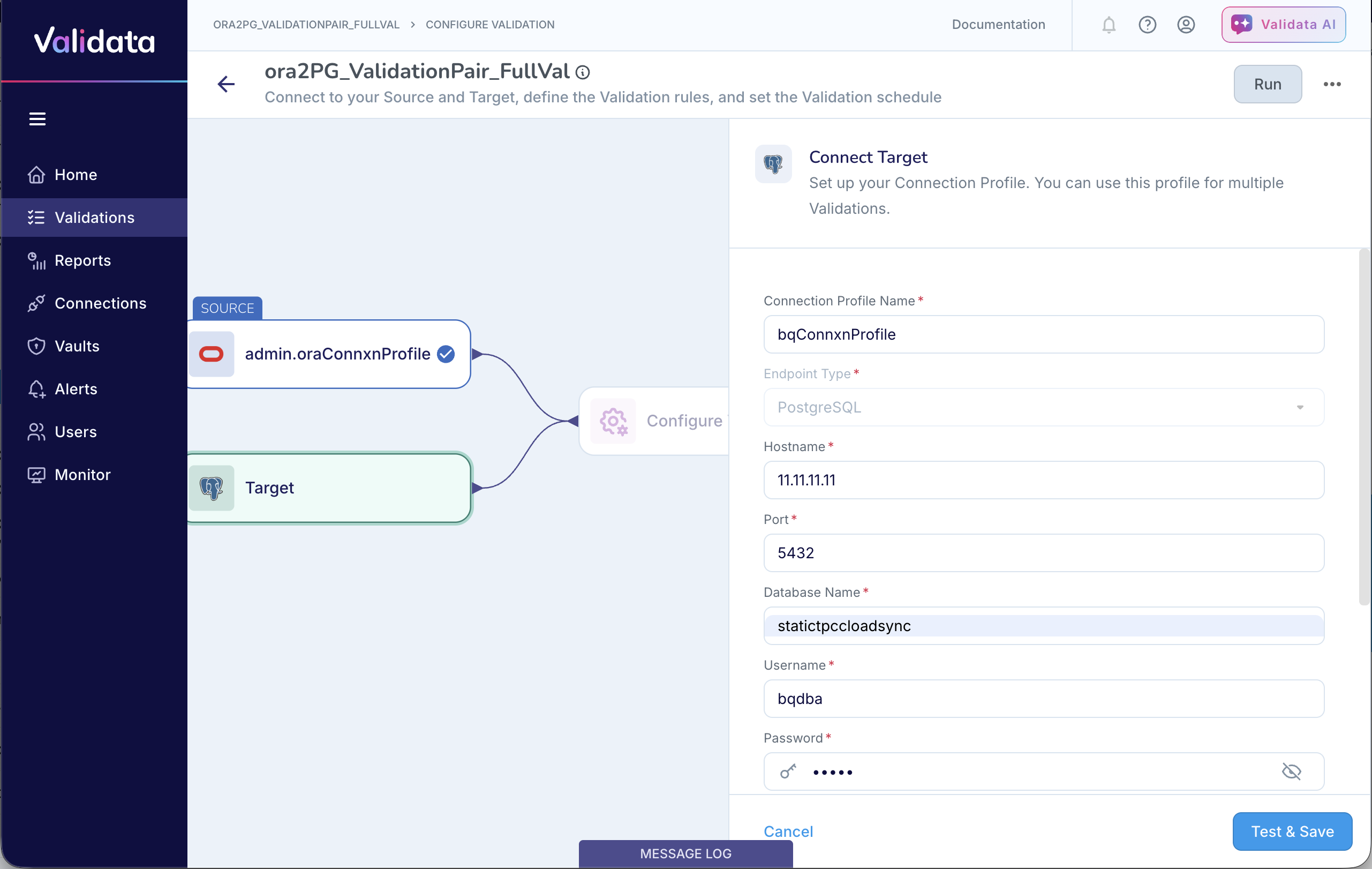
Connecting to the Target
Choose an existing Connection Profile or create a new one.
Test and validate access.
Refer to Supported data systems for more information on the endpoints supported as Source & Targets and the attributes for each endpoint.