Starting a validation run
You can run a validation manually on demand or allow it to execute automatically on a recurring schedule. This topic describes both execution methods and explains how Validata handles scheduling behavior during an active run.
Manual run (Run Now)
A manual run is a convenient way to execute a validation immediately. Complete the following steps to start a manual run.
Open the validation home page.
If the validation has not been run previously, select Run in the upper-right corner of the page.
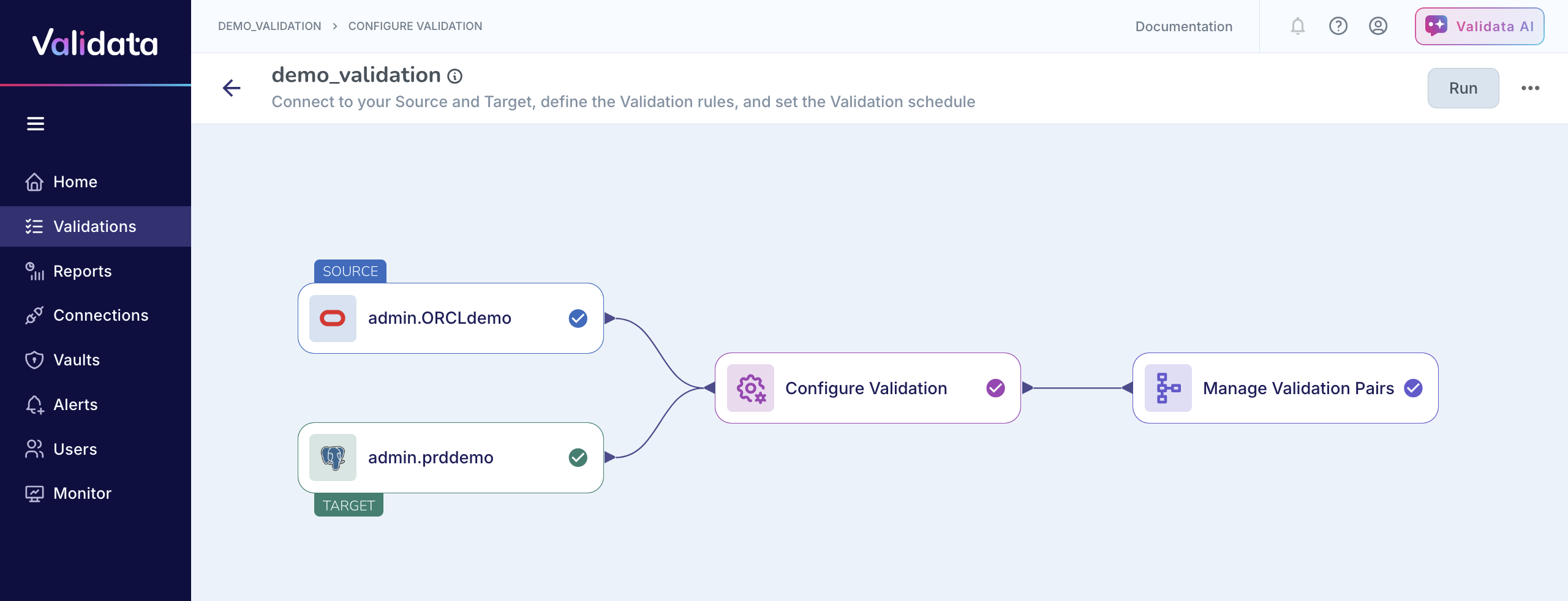
If the validation has been run at least once before, select Run Now. Validata triggers the run instantly. The validation transitions to the Running state, and a live view of progress becomes available.
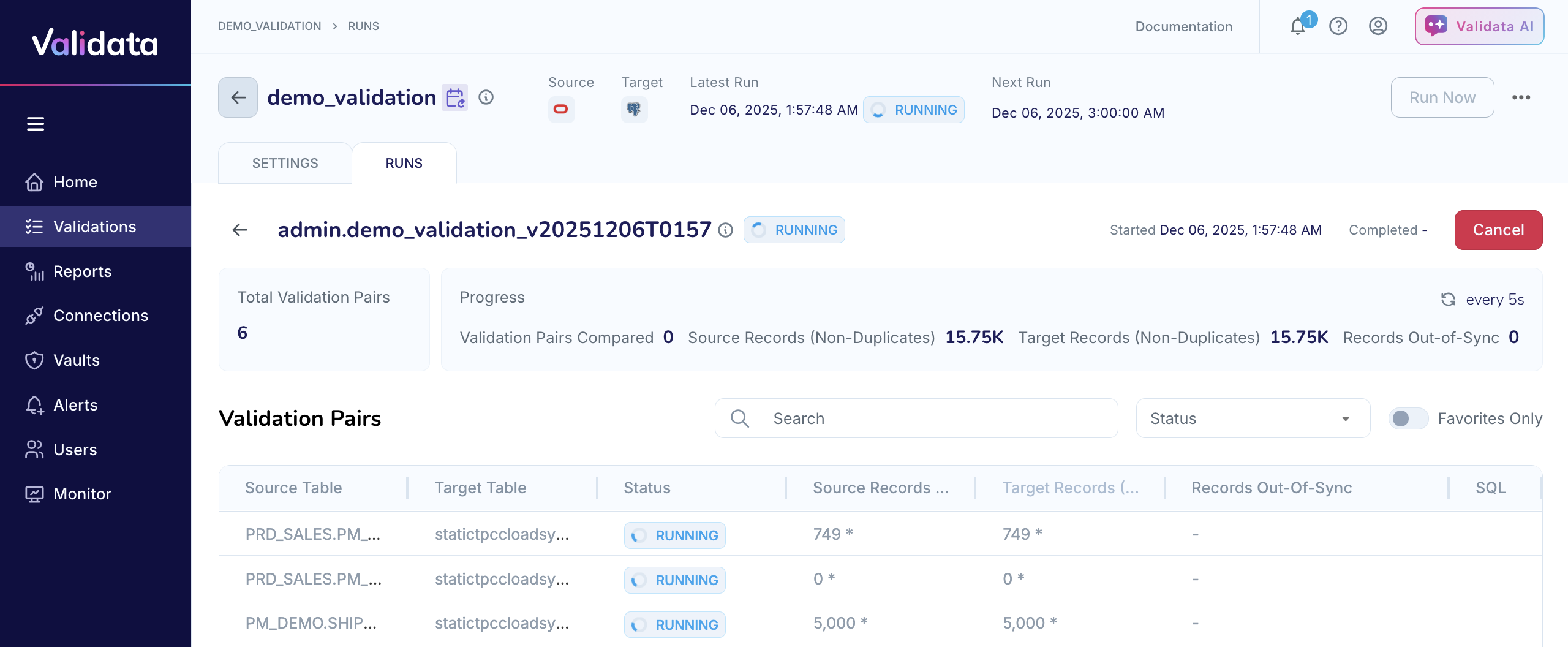
A recurring validation schedule does not restrict manual execution. Even if the validation has an active schedule with upcoming runs displayed—for example, showing previous scheduled executions and the next scheduled timestamp—you can still click Run Now at any time.
Example:
Suppose a validation is configured to run daily. On the validation homepage, you can see that the previous scheduled run completed successfully and that the Next Run is set for 3:00 AM.
During that time—at 1:57 PM—you need to verify a recent data load before the scheduled run occurs. Even though the validation has an active schedule, you can simply click Run Now to start an immediate execution. Validata triggers the run right away, independent of the upcoming 3:00 AM schedule.
The manual run completes at 2:12 PM, and the scheduled execution remains intact. Validata then executes the 3:00 AM scheduled run as planned, illustrating that you can initiate a manual run at any time without affecting the regular schedule.
If no schedule is configured for the validation, manual execution is the only method for running that validation.
Scheduled run
If you configured a recurring schedule—hourly, daily, or weekly—Validata automatically executes the validation at those intervals. The Next Run timestamp on the validation page indicates when the next scheduled run will occur. No user action is required.
You can still use Run Now between scheduled executions if an on-demand run is needed. Manual runs do not modify or disable the configured schedule.
Scheduling behavior during an active run
Validata skips a scheduled run if the validation is already in progress when its scheduled time arrives. After the active run completes, Validata resumes the schedule and waits for the next interval to trigger the following run.
Example:
Consider a validation that is scheduled to run every hour, with the next scheduled run set for 2:00 PM.
At 1:45 PM, you click Run Now to trigger an immediate execution. This run is still in progress when the clock reaches 2:00 PM. Because Validata does not allow two runs of the same validation to overlap, the 2:00 PM scheduled run is automatically skipped.
The manual run continues until it completes at 2:18 PM. Validata then waits for the next scheduled interval—in this case, 3:00 PM—and resumes the normal hourly cadence from that point onward. No catch-up run is queued for 2:00 PM, and the system does not attempt to rerun missed intervals.
This behavior ensures that each validation executes cleanly and prevents overlapping runs while keeping the schedule intact for future cycles.