Resource monitoring
The Resource Monitoring page provides real-time insight into system utilization across all active Validations and is accessible only to Validata admins. It displays current CPU and memory usage, the number of Validation Runs in progress, and how these metrics trend over time. This view supports operational awareness, capacity planning, and rapid diagnosis of performance issues that may affect scheduled or manual runs.
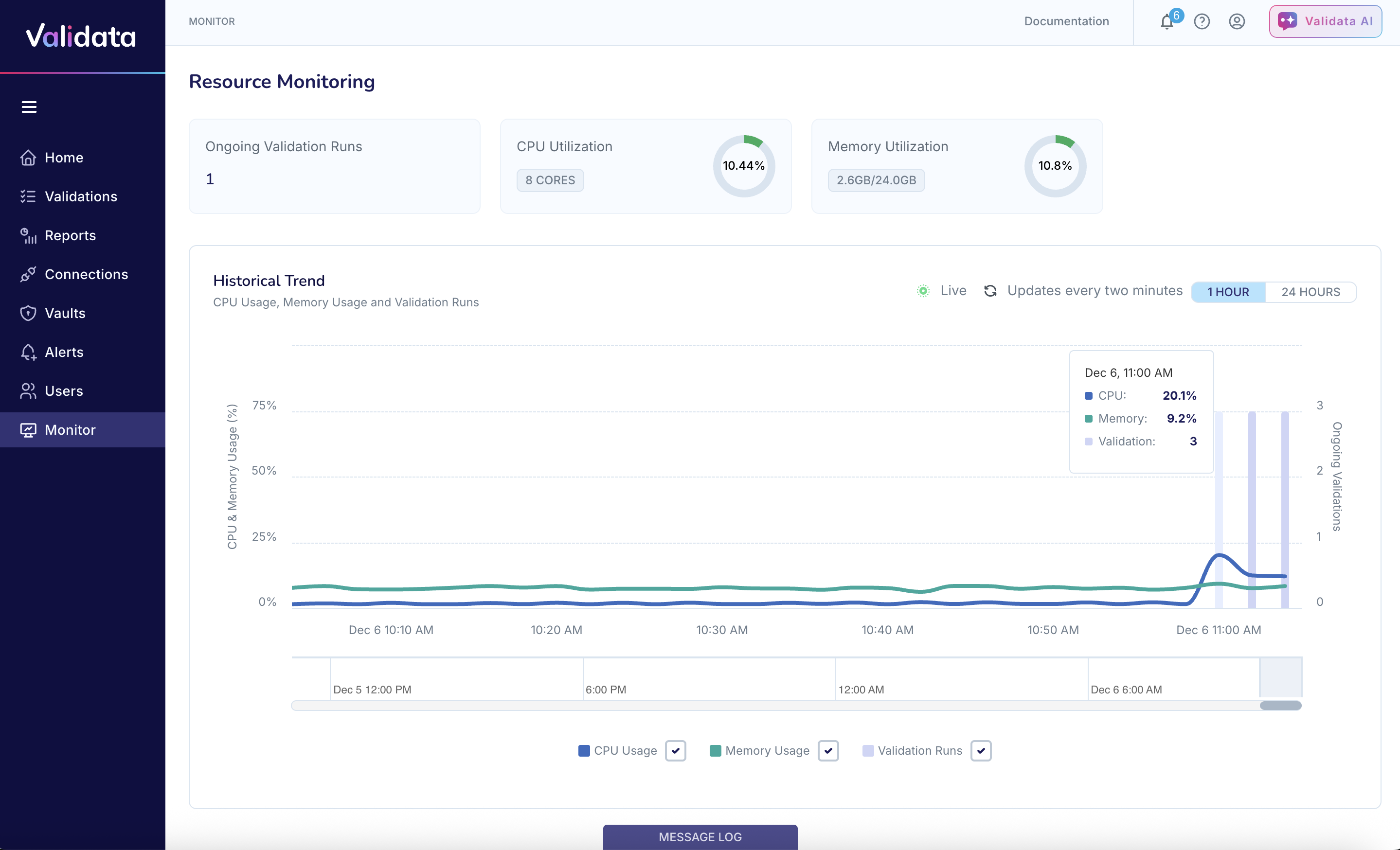
Ongoing Validation Runs
Displays the number of validation runs currently executing. Because each validation can have only one active run at a time, this value reflects the total number of concurrently running validations across the system.
CPU Utilization
Shows:
The current CPU usage percentage, refreshed automatically.
The number of cores allocated to Validata.
Use this metric to monitor processing load and determine whether system capacity is nearing its limits.
Memory Utilization
Shows:
Active memory usage as a percentage.
Used versus total available memory.
This helps ensure that large or concurrent validation runs do not exceed available memory resources.
Historical Trend
The Historical Trend chart visualizes CPU usage, memory usage, and ongoing Validation Runs over time. It helps identify workload patterns such as spikes, sustained usage, or unexpected drops in activity.
Two time-range views are available:
1 Hour — detailed, short-term view suitable for troubleshooting.
24 Hours — broader view for understanding daily patterns and system behavior.
Additional capabilities:
Live Updates — metrics refresh automatically every two minutes.
Legend Controls — toggle individual metrics (CPU, Memory, Validation Runs) to focus the chart on specific data.
Timeline Slider — scroll and zoom to examine any portion of the historical dataset.
Hovering over the chart reveals exact values for CPU, memory usage, and active validation runs at the selected point in time.