Reconciling out-of-sync records
After a validation run identifies discrepancies between source and target datasets, you can use Validata's reconciliation feature to generate SQL scripts that bring the target back into alignment with the source.
If a validation pair contains out-of-sync records, Validata generates a SQL-based reconciliation script that you can download from the validation pair report by clicking Download SQL to Fix, as shown in the screenshot below.
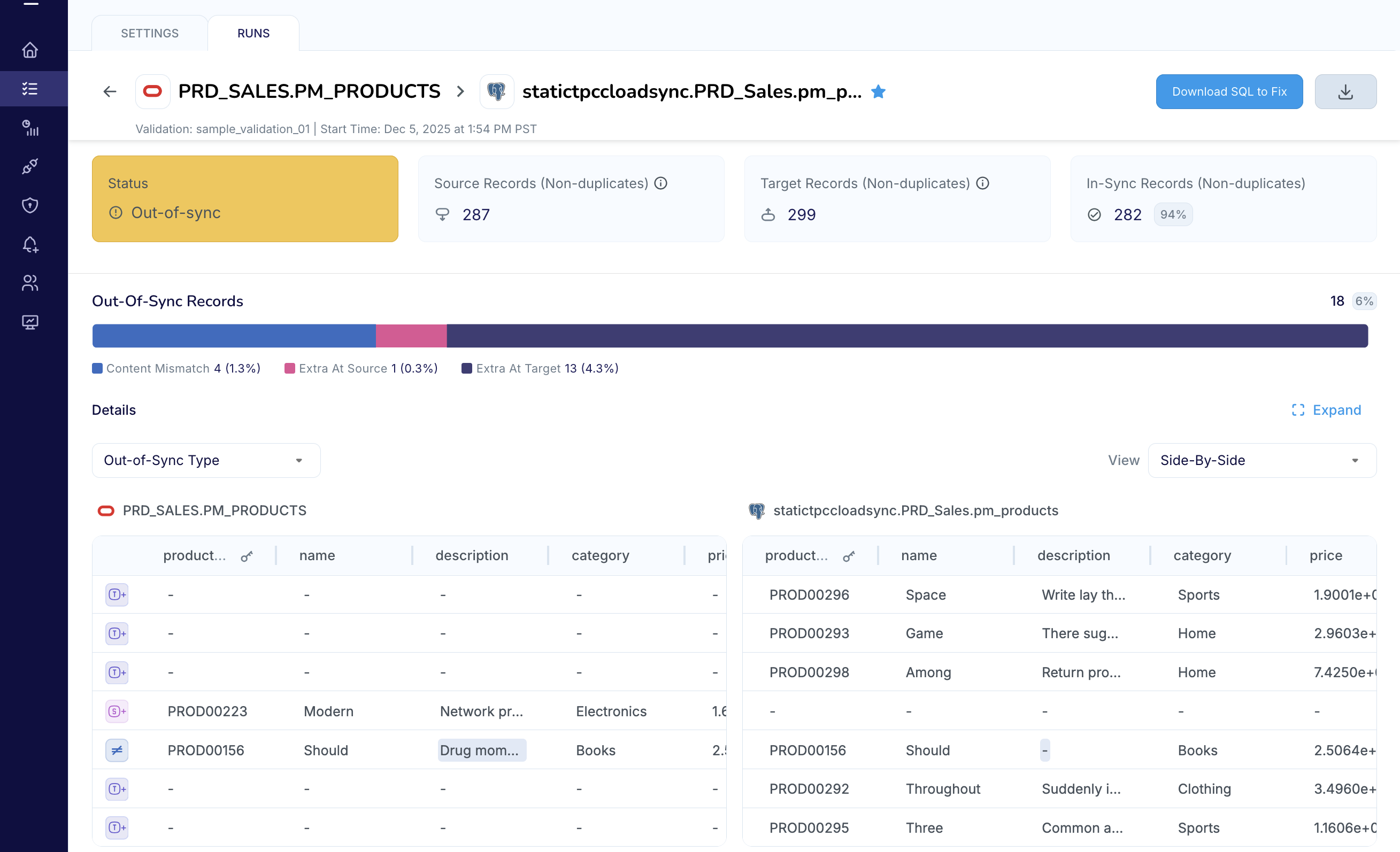
The reconciliation script:
Updates target rows flagged as
Content Mismatchso they match the source.Inserts rows classified as
Extra in Sourceinto the target.Deletes rows identified as
Extra in Targetfrom the target.
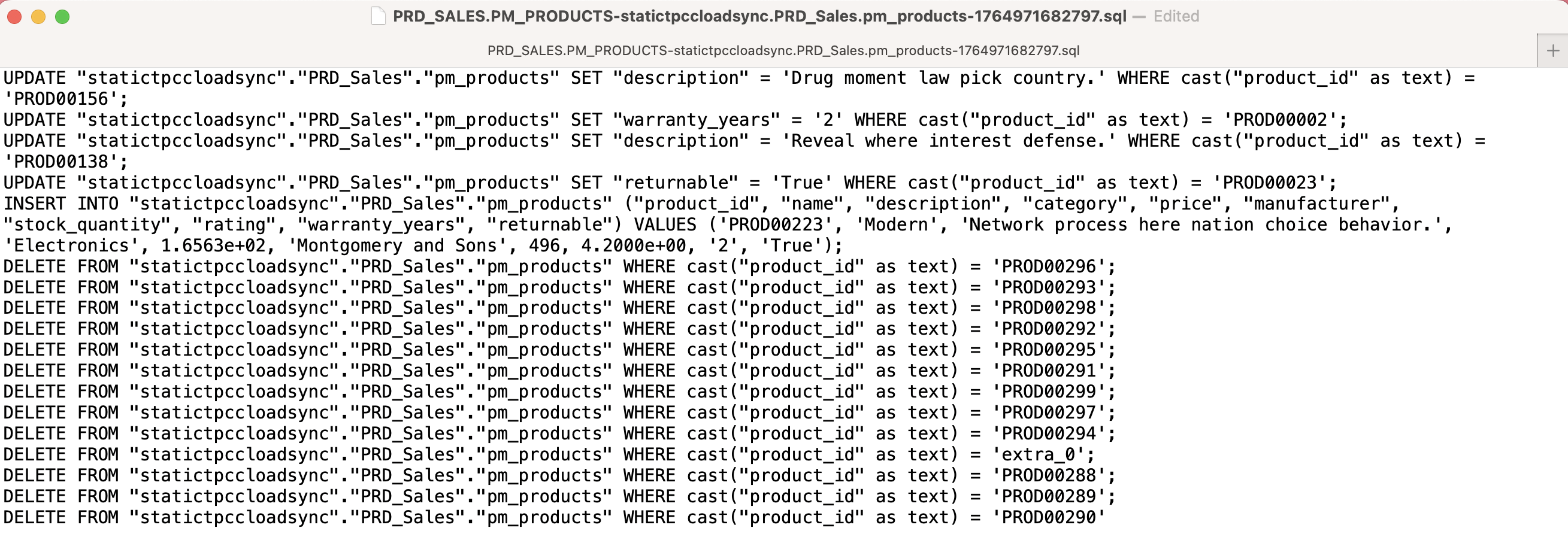
The screenshot below shows an example of a reconciliation script that contains all three DML statements: UPDATE, INSERT, and DELETE. You can run this script against the target system to align the table to the source as is, or you can edit the file before executing it.
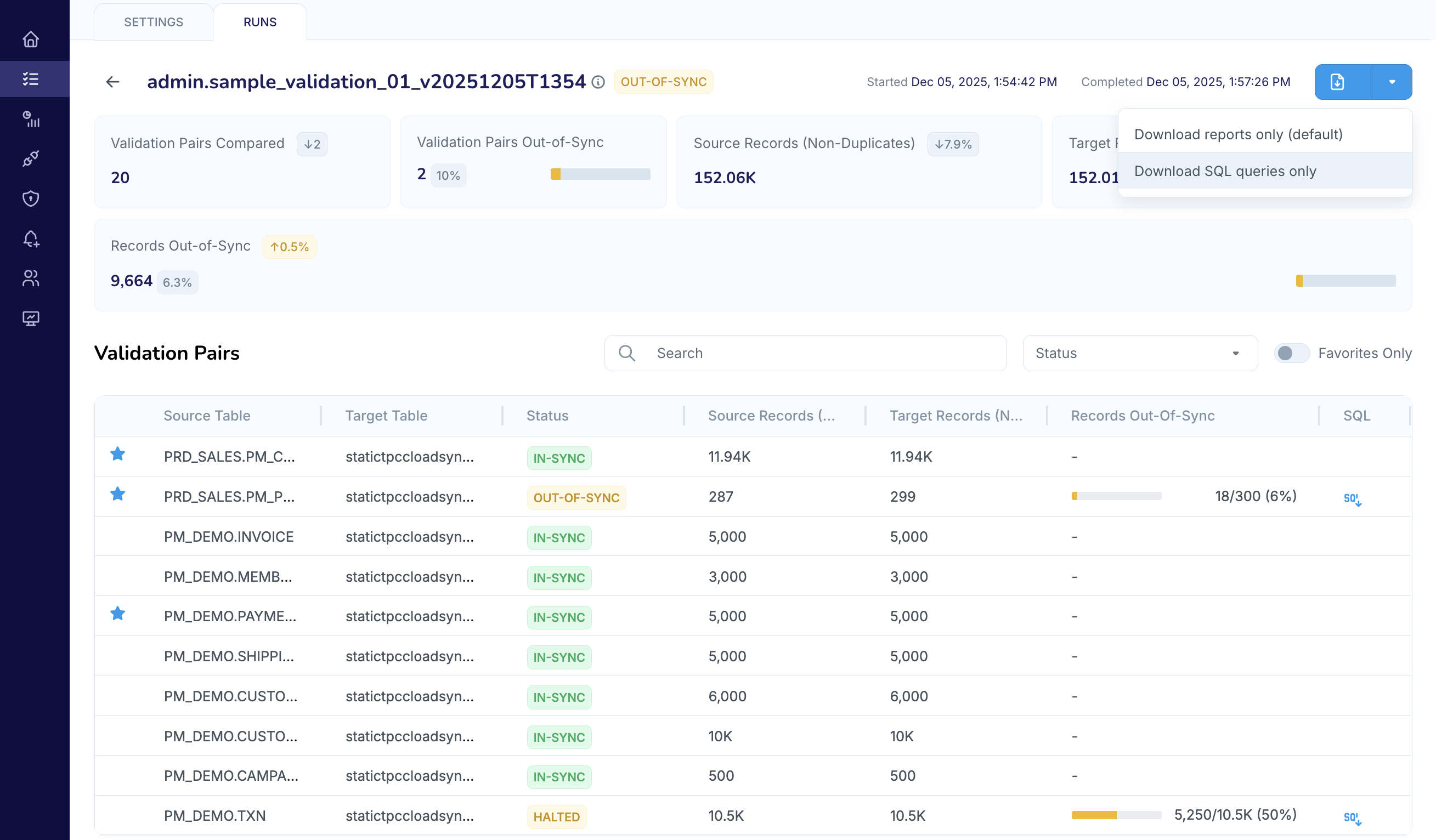
If a validation run contains multiple out-of-sync validation pairs, you can download a zip file that contains reconciliation scripts for every out-of-sync validation pair in the run, as shown in the screenshot below.
Operational considerations
Keep the following considerations in mind when using reconciliation scripts.
The size of the reconciliation script depends on the number of out-of-sync records.
The reconciliation script reflects a snapshot of your data taken at the exact time of the validation run and does not account for transactions that occur after that timestamp. Because there is a time gap between the initial comparison and the execution of the script, there is a risk that the source or target records may have been updated in the interim. Before applying the script, you must verify that the affected records have remained static since the comparison; otherwise, executing the script on active tables may overwrite valid recent updates or cause data regression in the target.