Configure email alerts
To configure Email alerts:
Select Alerts, select Email as the channel, and click Configure Email.
Provide the required configuration details, including sender information.
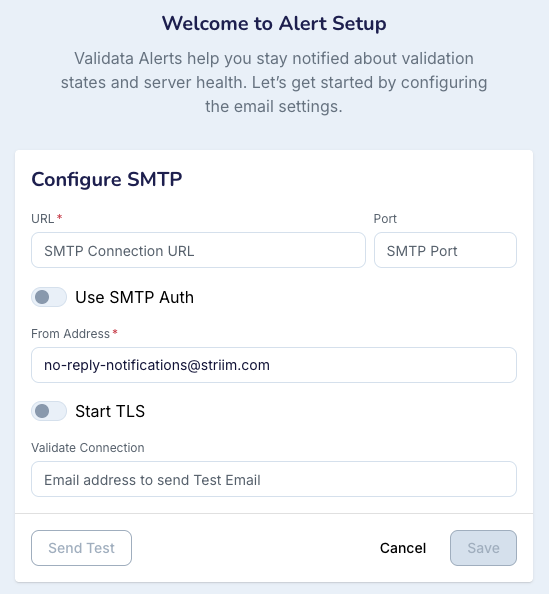
Click Send Test to verify the configuration.
If the test is successful, click Save.
Click Edit Configuration.
Add the Recipient Email Addresses. Specify multiple email recipients by separating addresses with a semicolon (;).
Click Save.
You can see the result
EMAIL SUCCESS.
Once configured, alerts will be sent to the recipient email addresses.