Managing Striim Cloud Console alerts
Striim Cloud Console alerts, also known as control-plane alerts, notify you when the running status or health status of a Striim Cloud service changes. An alert rule can apply to all services in the account or only to selected services.
These alerts are quick to configure but provide limited functionality. Email is the only notification method. Triggered alerts are also recorded in the Striim Cloud Console alert history.
Cloud Console alerts do not monitor applications, pipeline components, or data conditions within an application. Use service alerts to monitor and alert on these conditions. See Alerting in Striim.
Roles and permissions
Account Admin: Manage alert rules for all services in the account and view alert history.
Service Admin: Manage alert rules for the services they administer and view alert history.
Developer and Viewer: View alert history but cannot create, modify, or delete alert rules or manage recipients.
For more information, see Managing permissions and roles.
View alert history
In the Striim Cloud Console, select Alerts.
On the Alerts tab, review alerts triggered during the previous two weeks. The summary cards show the number of alerts by severity.
Filter the history by time range, service, alert category, or severity. Each entry identifies the trigger time, severity, service, and alert category.
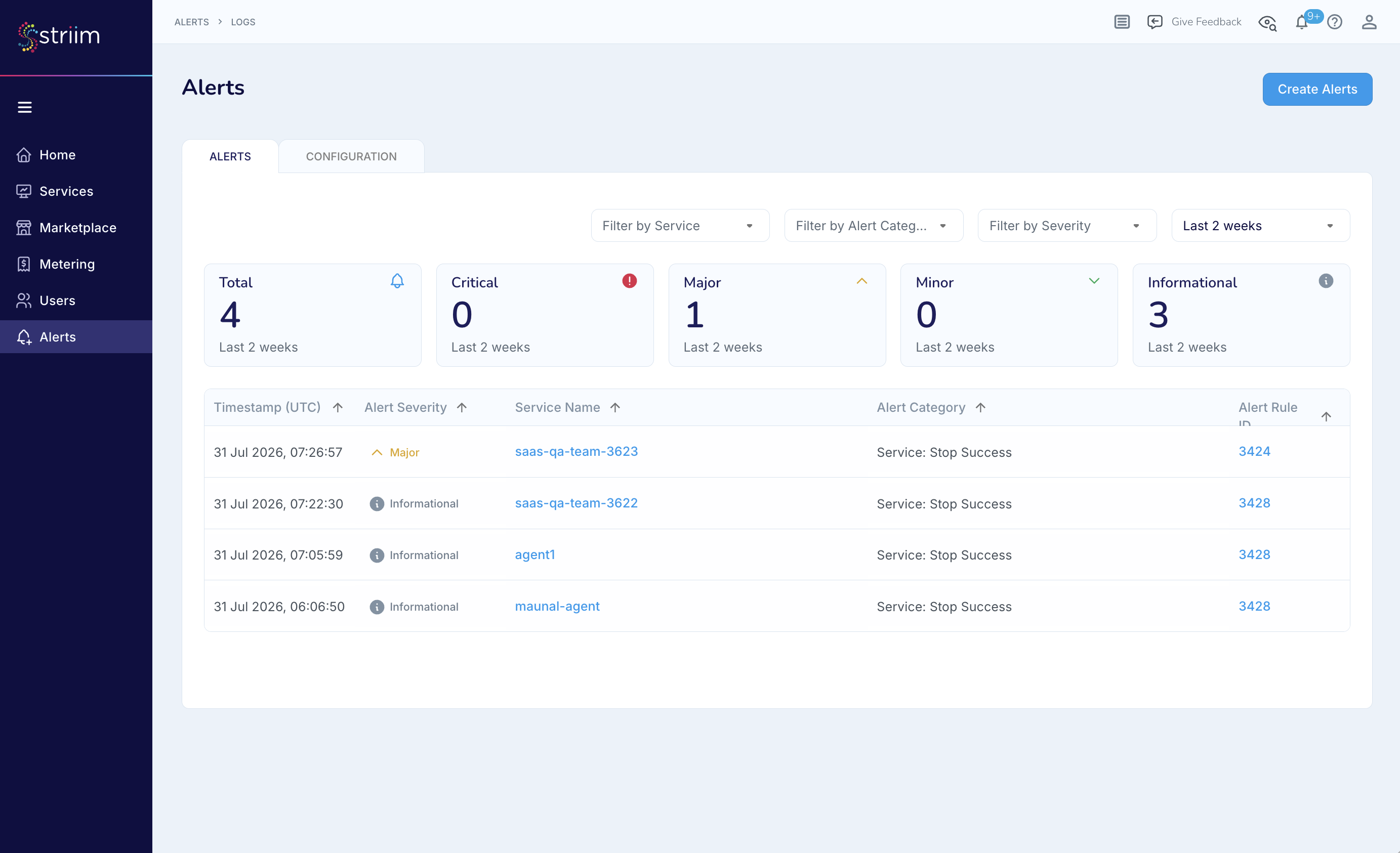
The Alerts tab shows recent alerts and summary counts by severity.
Create a new alert rule
Account Admins can create rules for all services in the account. Service Admins can create rules only for services they administer.
On the Alerts page, select Create Alert.
Under Select Alert Level, select Account to apply the rule to all services or Service to apply it only to selected services.
Under Select Alert Conditions, select the Category, State, optional Status, and Severity. The available categories are Service Health and Service Lifecycle. Severity options are Critical, Major, Minor, and Informational. To define another trigger, select Add Condition.
Under Select Communication Channels, select Email. Enter one or more email addresses or distribution lists.
Select Create.
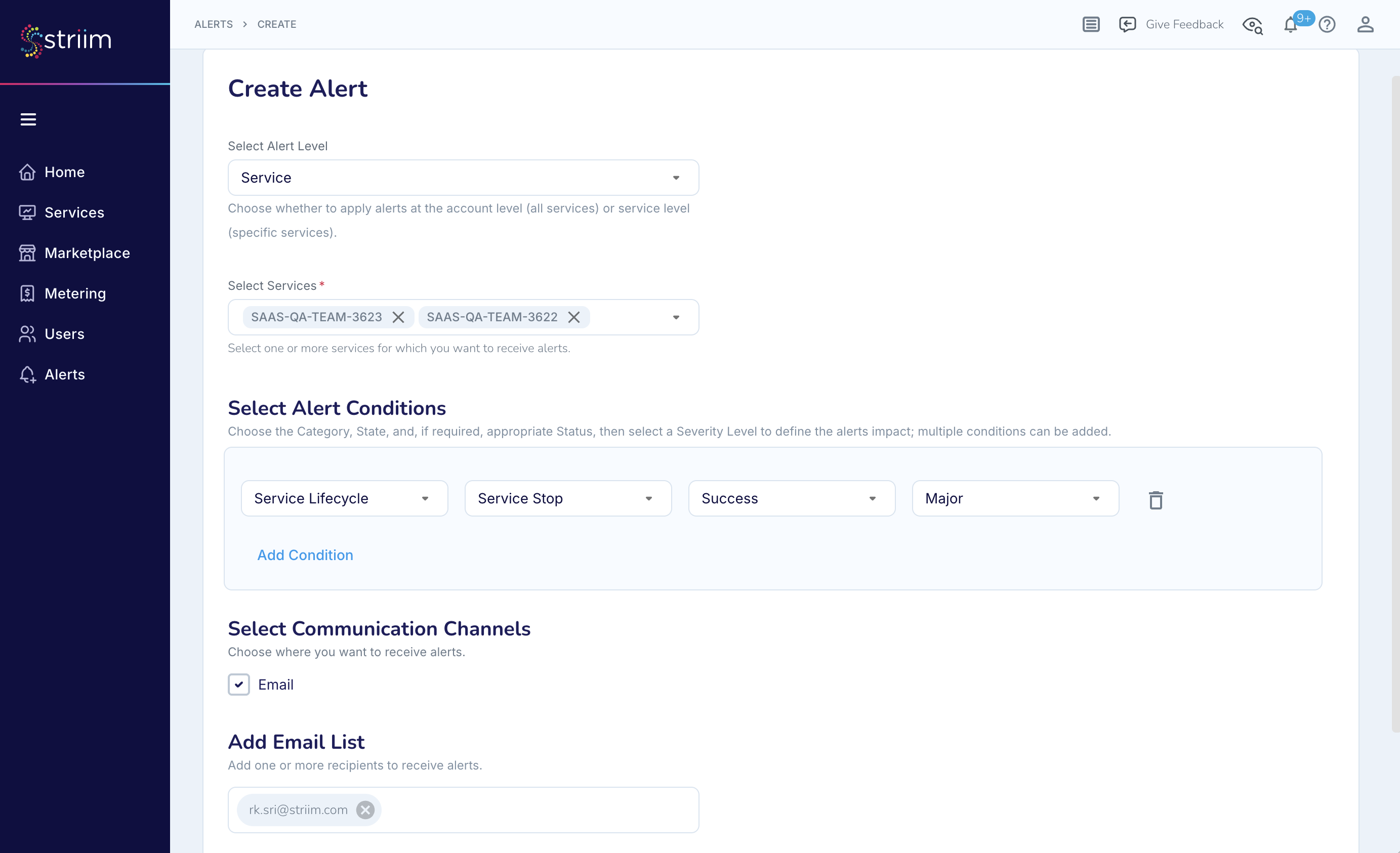
Configure the alert scope, conditions, severity, and email recipients.
Manage alert rules
On the Alerts page, select Configuration to review existing rules. You can enable or disable a rule and use the available actions to view, edit, or delete it. The actions available depend on your role.
When an enabled rule is triggered, Striim sends an email to the configured recipients and records the alert on the Alerts tab.
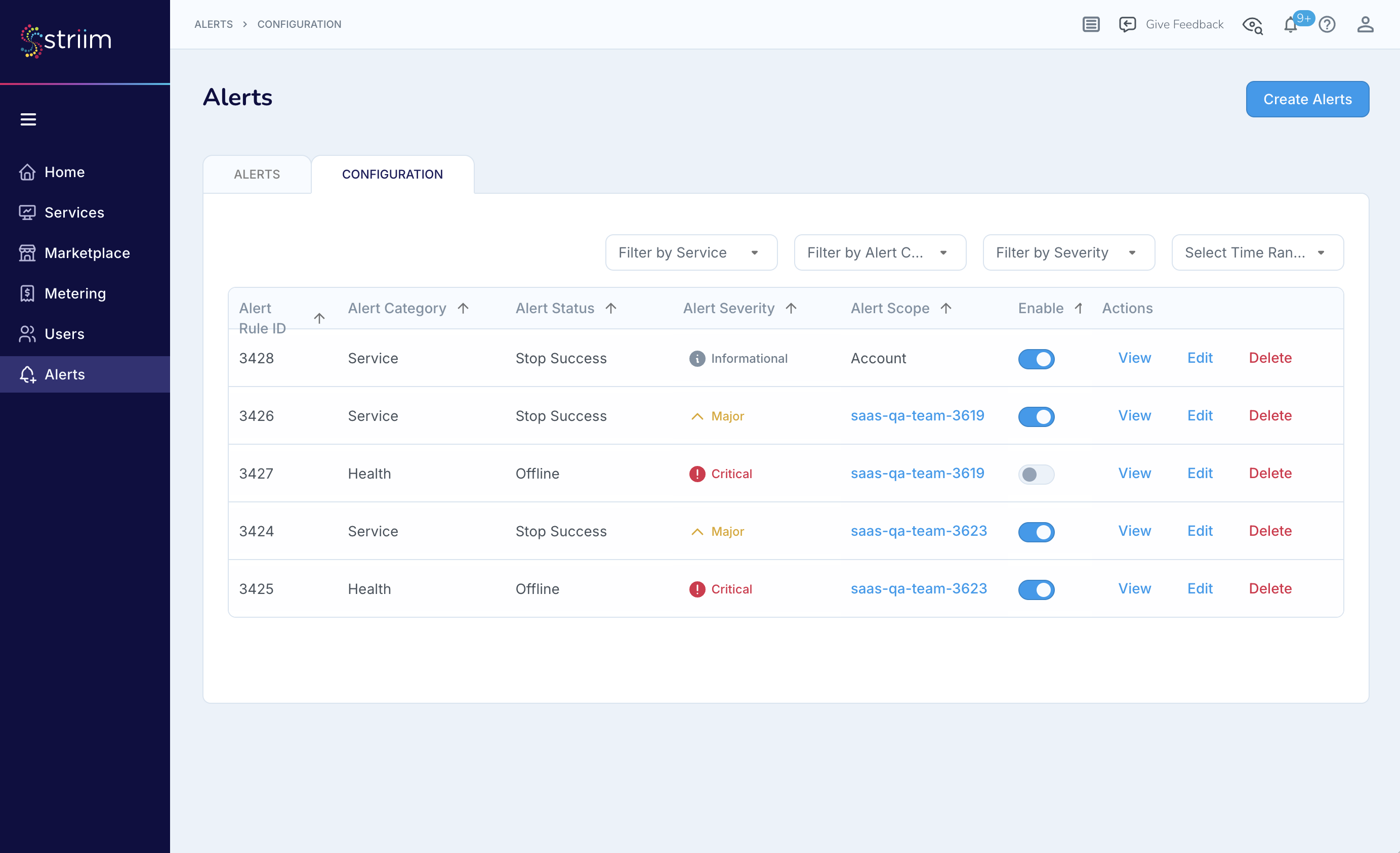
The Configuration tab lists alert rules and the available actions.