Changing plans
This topic describes how to switch a Striim for ClickHouse subscription between the Standard and Premium plans and what happens to your applications when you do. You can change plans at any time from the Billing page, and the new rate applies from the moment you change.
Change plans when your source requirements change. Move to Premium when you need Oracle, Microsoft SQL Server, Snowflake, or Salesforce CDC, or when your applications need more compute than a 4-core instance provides. Move back to Standard when you no longer use the Premium-only sources and want to reduce the hourly compute rate.
Plan comparison
Each plan combines a fixed hourly compute rate with usage-based rates for adapter events and AI agent events. The following table shows what is included in each plan.
Item | Standard | Premium |
|---|---|---|
Compute size | 4 cores. | 8 cores. |
Compute pricing | $2.40 per hour ($0.60 per core-hour). | $4.80 per hour ($0.60 per core-hour). |
Standard adapter events | $0.50 per million events. | $0.50 per million events. |
Premium adapter events | Not available. | $1.00 per million events. |
AI agent events (Euclid, Foreseer) | $1.00 per million events. | $1.00 per million events. |
Targets | ClickHouse and File Writer. | ClickHouse and File Writer. |
Sources |
|
|
Adapter event and AI agent event charges are metered on usage and are billed in addition to the hourly compute rate. Premium adapter events are the events read by the Premium-only CDC sources.
Change your plan
The Billing page shows your current plan and lets you switch to the other plan in a single step.
In the left navigation, select Billing.
On the Change your plan page, review the two plans. Your current plan is marked CURRENT.
Select the plan you want to switch to and confirm the change.
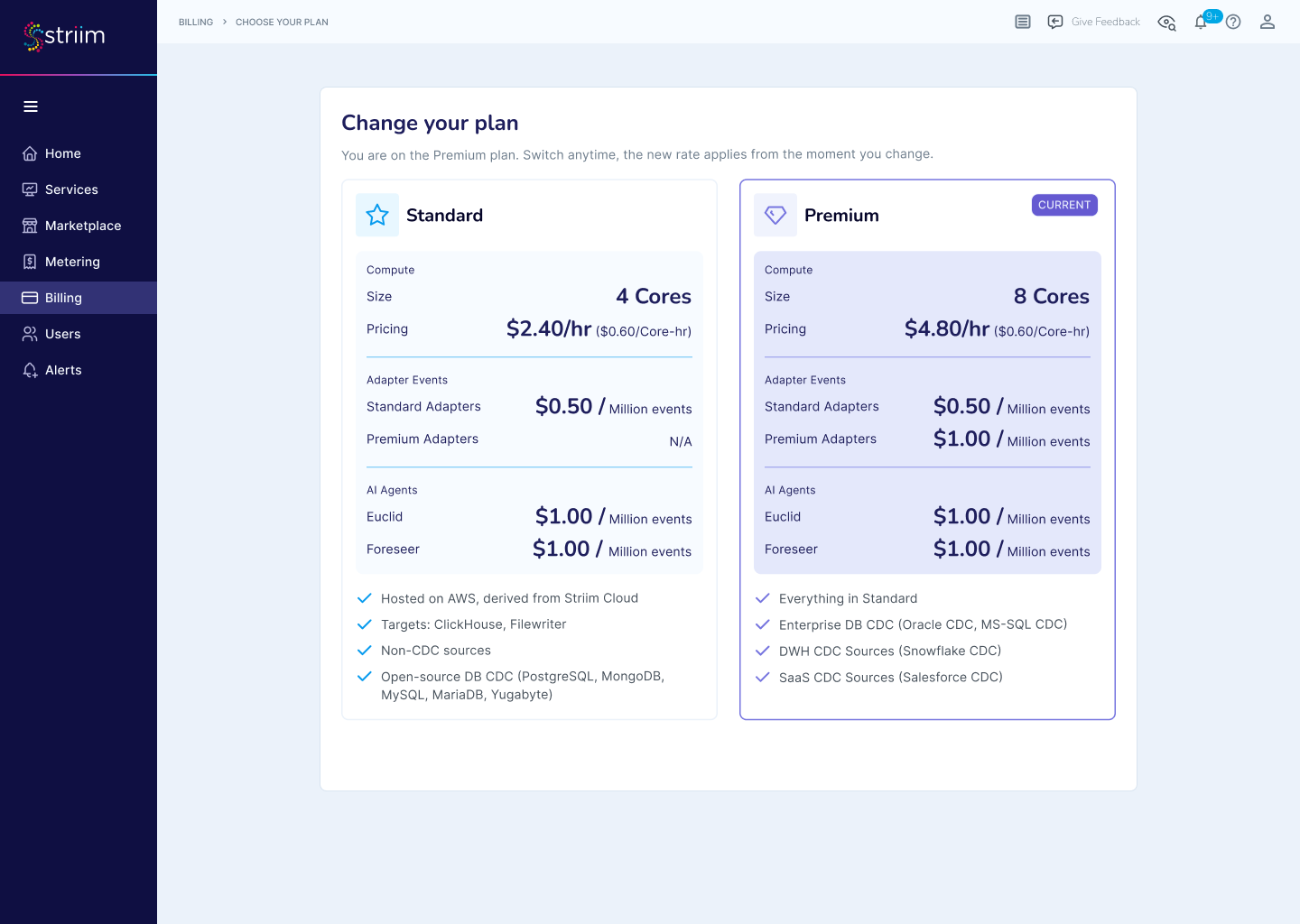
The new rate applies from the moment you change plans. There is no waiting period and no proration of a previous billing cycle; you are billed at the old rate up to the change and at the new rate after it.
What happens to your applications
Changing plans moves your service to a different instance size, so your applications are restarted as part of the change. The effect depends on the direction of the change.
Standard to Premium: all applications are restarted on the larger 8-core instance, and the Premium-only CDC sources become available. Existing applications continue with their current configuration.
Premium to Standard: only the applications that write to ClickHouse or File Writer and use Standard sources are restarted on the 4-core instance. Any application that uses a Premium-only CDC source (Oracle, Microsoft SQL Server, Snowflake, or Salesforce CDC) remains stopped, with its configuration preserved. To run those applications again, switch back to Premium.
Before moving from Premium to Standard, stop or quiesce applications that use Premium-only sources at a point where the target is consistent, so that you can resume them cleanly if you return to Premium later.