Using Sherlock AI for multiple apps from the Striim AI menu
This topic covers using Sherlock AI to discover sensitive data in multiple Striim apps in a single Sherlock AI discovery.
Discovering sensitive data using Sherlock AI in multiple apps
Note
Currently Sherlock AI is available to the Striim admin only.
To create a new sensitive data discovery after you have set up the AI engines to work with Striim:
From the Striim AI menu, select Sensitive Data Governance.
You arrive at the default Sherlock AI Reports tab.
Choose Discover in All Apps or Select Apps.
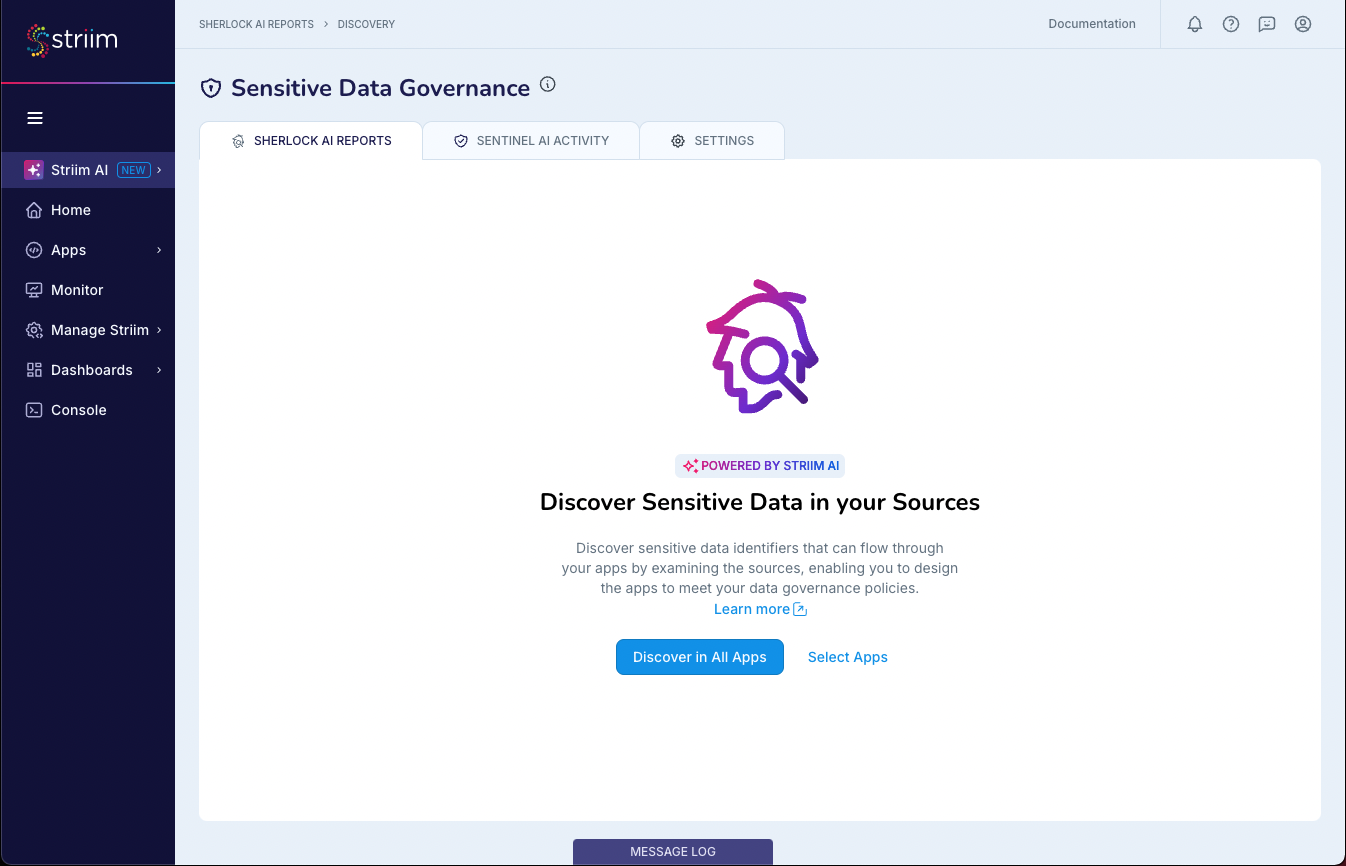
If selecting apps, filter the apps by source, namespace, or status as needed. Click Next.
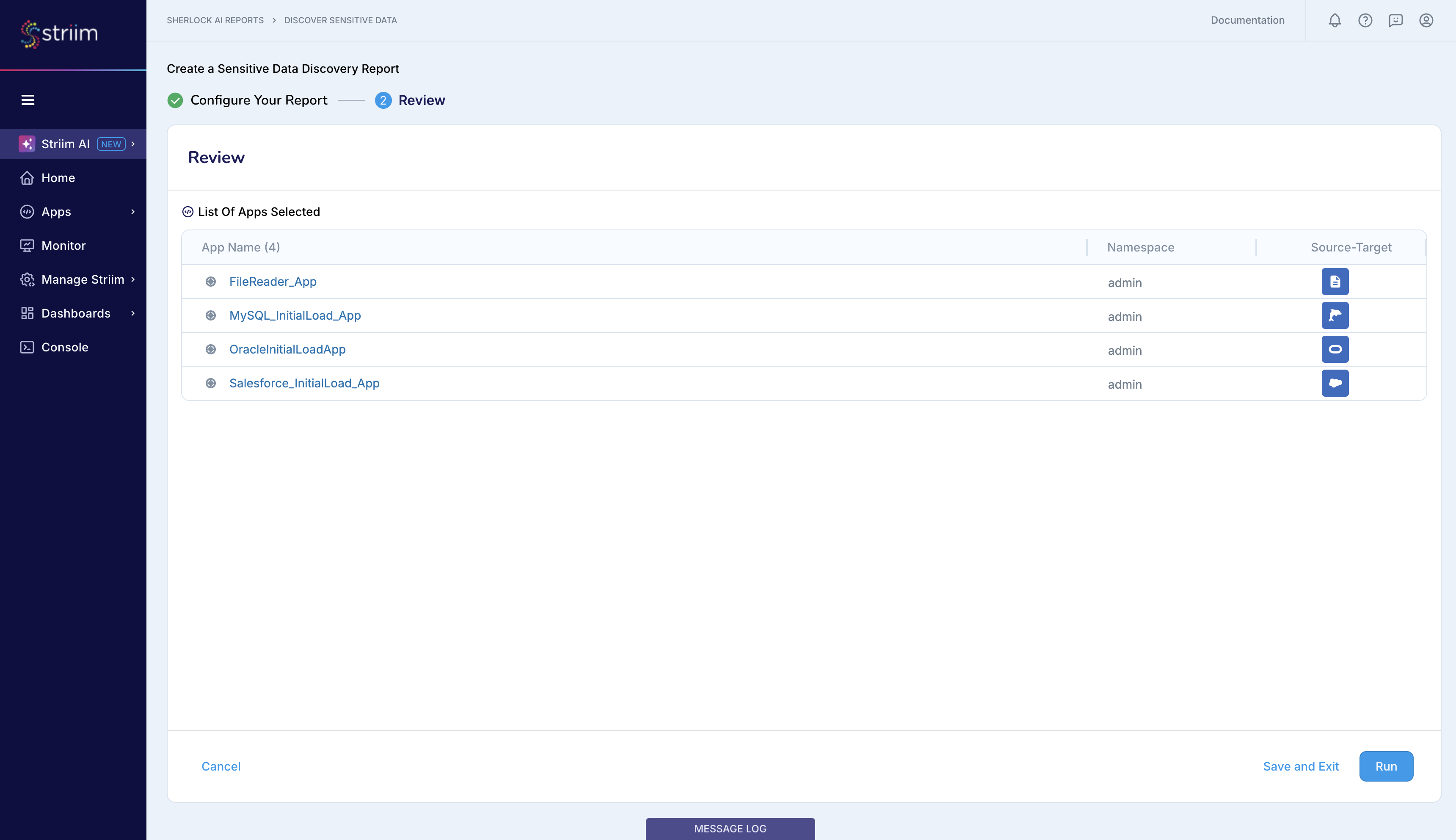
Enter the discovery name and description.
In the review summary screen, choose Run.
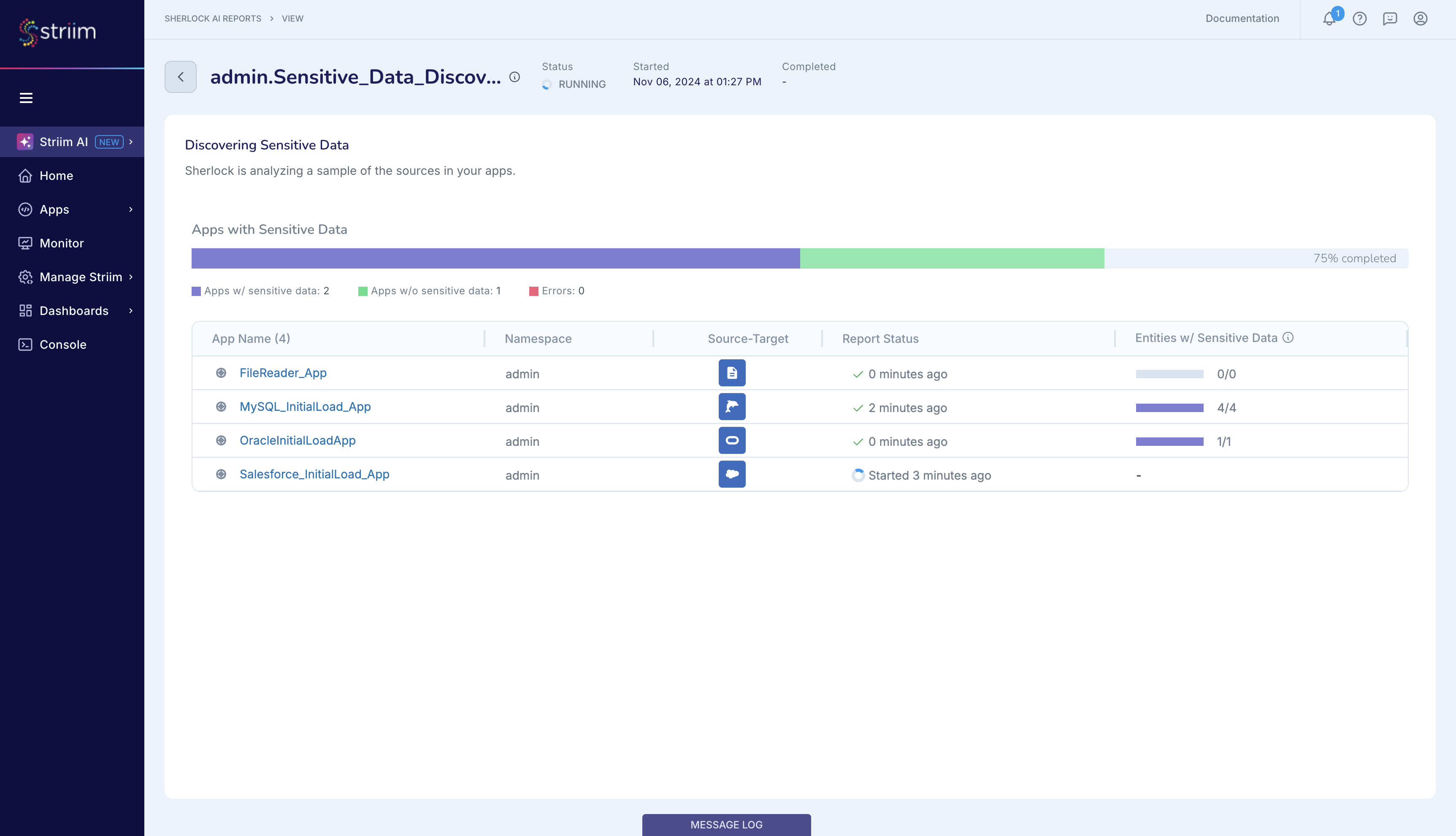
You can observe the discovery progress as Sherlock analyzes a sample of the sources in each of your apps. In the screenshot below, the discovery process is 75% complete as Sherlock has completed scanning 3 of the 4 apps, with one app remaining.
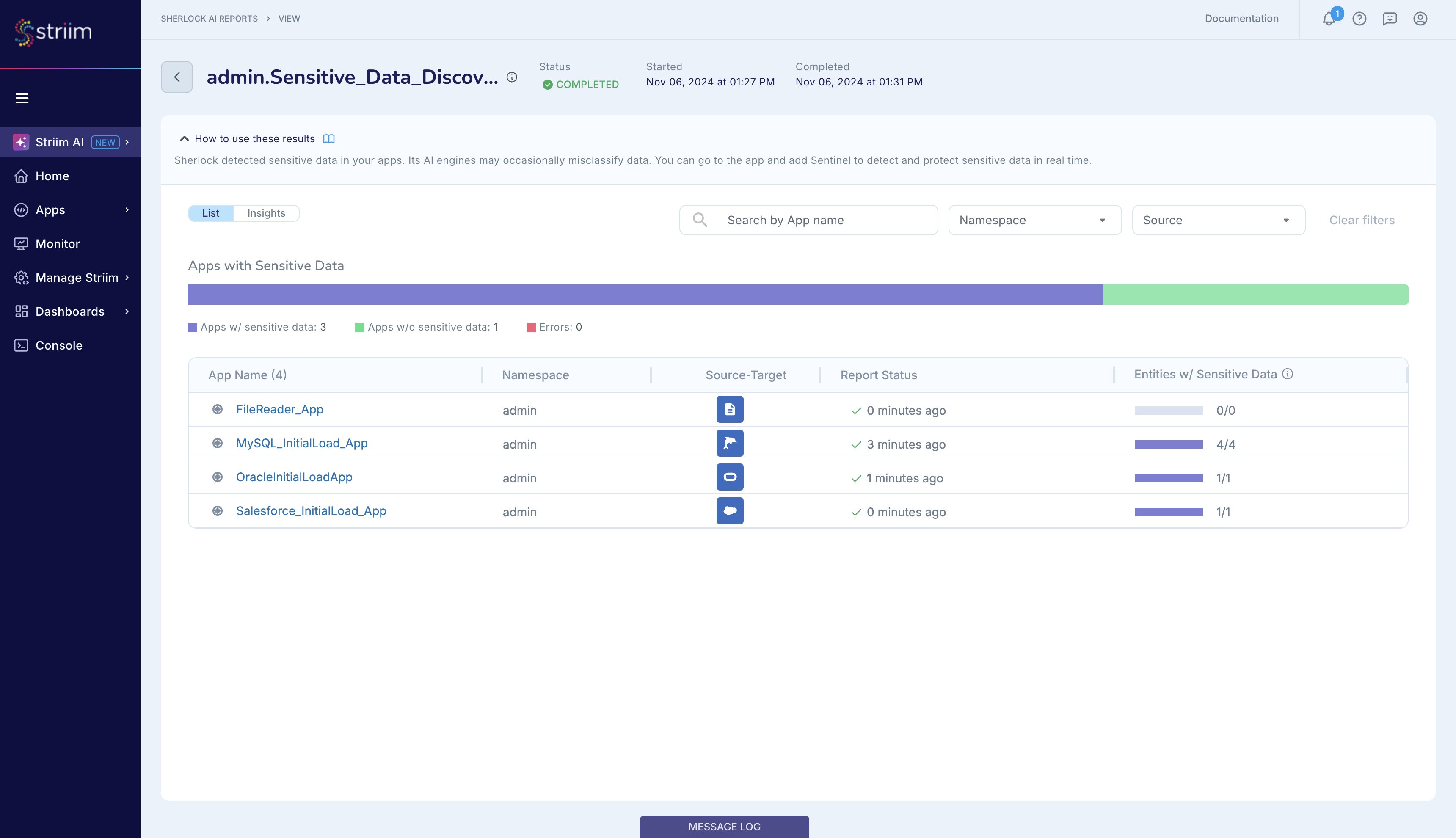
Sensitive data discovery report for multiple apps
This section discusses the Sensitive Data Discovery Report that Striim generates after completing the discovery of sensitive data for multiple apps. This report tells you what was discovered when Striim analyzed the source data. Striim does not scan the entire source for sensitive data, but instead scans a subset/sample of the source data. The report reflects what Striim discovered from this sampling. You can then decide on the actions that you want to take with regards to the sensitive data that flows from your source dataset into your Striim apps.
Sherlock reports the number of entities with sensitive data for each app. When Sherlock completes the discovery, the Status changes to Complete.
To view more detailed reporting, navigate to the Insights tab where you can see the following information:
A graph of the top Sensitive Data Identifiers and how many apps they appear in.
The top sources with sensitive data, including the number of apps with sensitive data and the number of sensitive entities.
The top apps with sensitive data, and the number of entities discovered in each app.
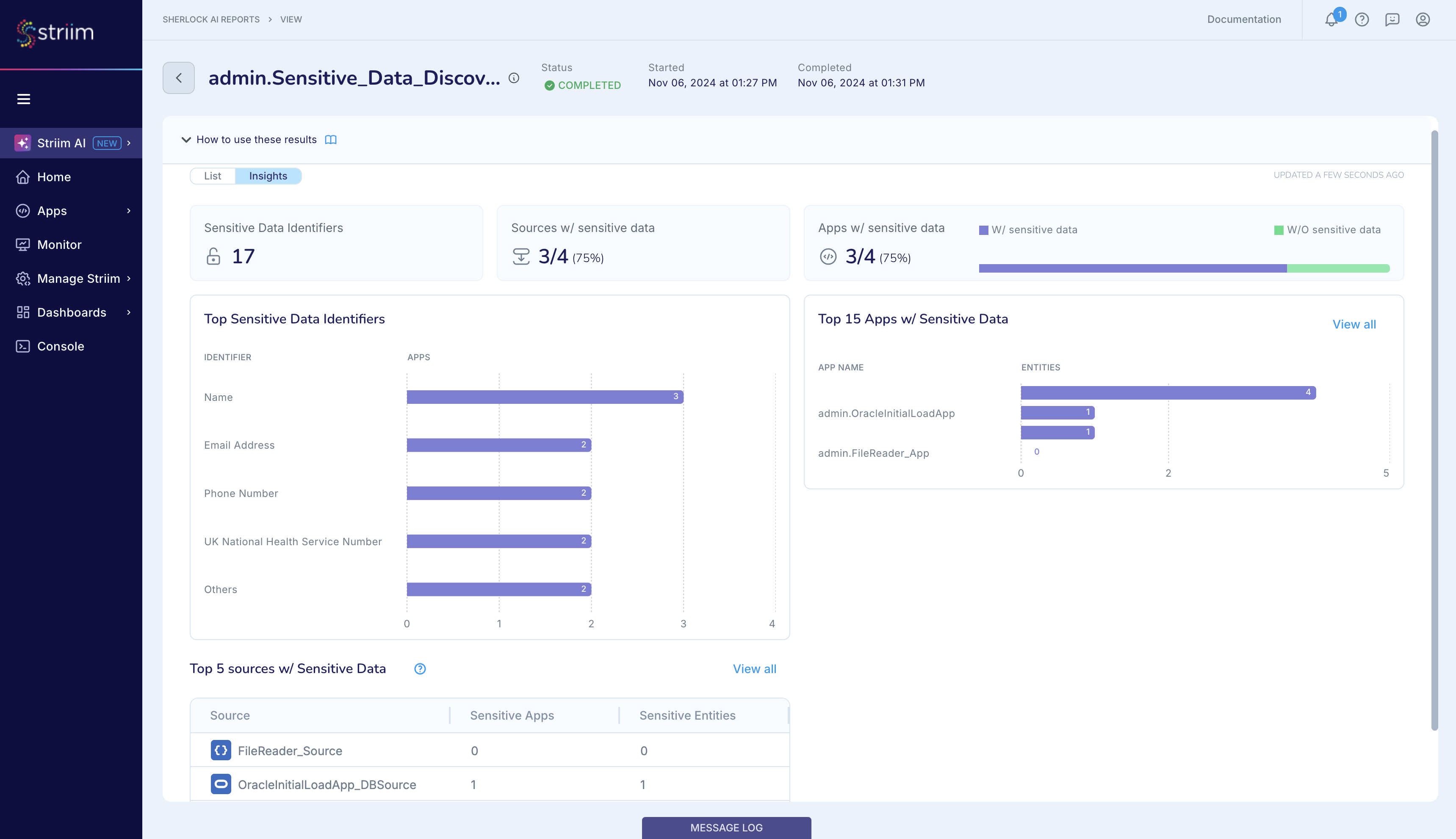
You can drill down further into each app in your report to see what sensitive data was discovered. The apps with the most sensitive data are shown first.
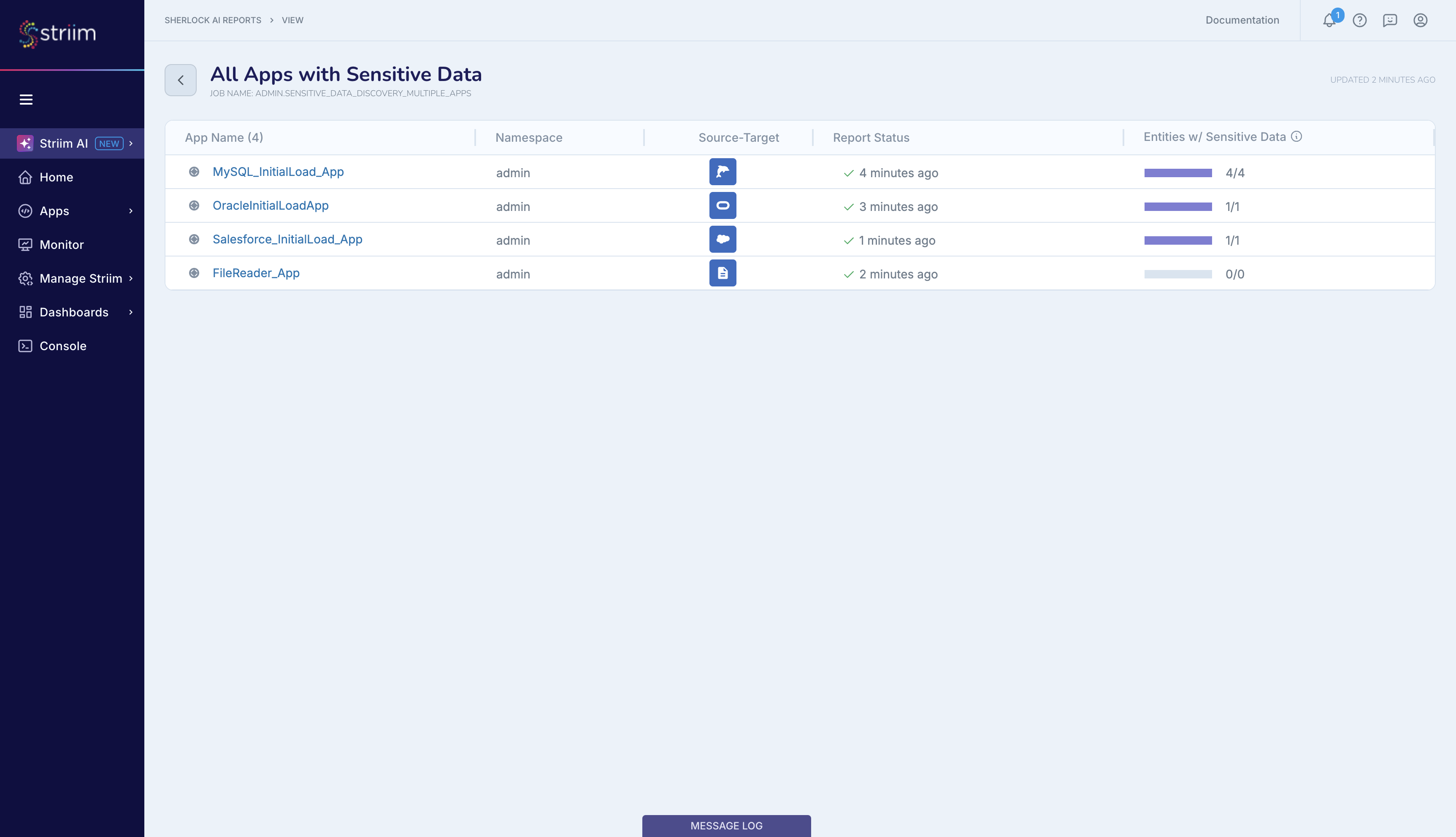
When reviewing the discovery results, the report displays the count of each sensitive data identifier type detected. For structured fields, at most one SDI type is detected per row. For free-form text fields, multiple SDI types can be detected within a single field, and the same SDI type can appear multiple times. The SDI counts represent the number of times each SDI type was found across all sampled rows for that field. For free-form text columns, the sum of SDI counts can exceed the number of rows sampled because a single field can contain multiple sensitive data identifiers.
Additionally, in Striim 5.0.6 or later, you can download the Sherlock reports in PDF and CSV formats for further analysis.